The film and video production economy is entering a phase most founders underestimate. Global film and video production spend is on track to cross $296.95 billion in 2026. The software built to coordinate that spend- production management platforms for media and entertainment- is itself a USD 6.66 billion market this year, growing at a compound rate of over 9% through 2032. Virtually every dollar in that spend depends on one operational document that has barely changed in three decades: the call sheet.
Most productions still create call sheets in a spreadsheet or PDF, or use a legacy scheduling tool, and then send those sheets via email or WhatsApp the night before the shoot. This may work for some time, but it is bound to fail if, for example, a location changes at 11:00 pm, or a crew member misses a call time because the call sheet was not sent to his phone, or a producer spends four hours checking and validating the call sheet contact list instead of preparing for the next scene.
That gap between a document-based workflow and a live, connected production is exactly what a call sheet app is built to close, and it is why founders, studio operators, and production-tech investors are now treating call sheet software as a serious product category rather than a niche utility.
The price range to build a call sheet app usually falls between USD 10,000 and USD 100,000+. Some factors affecting the cost include which platforms the app is built for, what the app integrates with, and whether the final product is a simple scheduling app or a more complex production management tool.
This guide walks you through what a modern call sheet app actually needs to do, the step-by-step process for building one, realistic cost breakdowns, and how to decide between on-demand app development and off-the-shelf software, so you can plan this build the way an operator plans a production: with a budget, a timeline, and no surprises.
Key Takeaways
- Call sheet software sits inside a fast-growing media and entertainment production management market, expected to grow from USD 6.66 billion in 2026 to USD 11.26 billion by 2032.
- A modern call sheet app needs to go beyond static PDFs: real-time editing, GPS-mapped locations, digital sign-off, weather integration, and role-based crew access are now baseline expectations, not premium add-ons.
- Development costs range from $10,000 for an MVP to $ 100,000+ or more for an enterprise-grade platform with scheduling, budgeting, and studio integrations.
- Custom development gives production companies ownership, white-label potential, and integration flexibility that off-the-shelf tools like StudioBinder or Yamdu cannot offer at scale.
- Data security, offline reliability on set, and integration with existing scheduling and budgeting software are the three challenges that derail most call sheet app projects.
What Is a Call Sheet App?
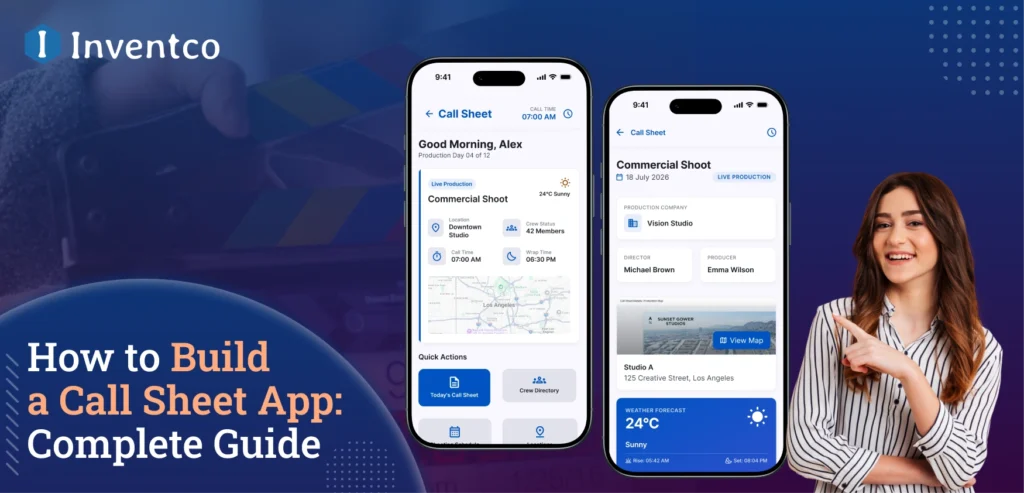
A call sheet app is a tool that replaces the traditional paper and PDF call sheets with a live, mobile document that allows every department on a production to access, review, and respond to in real time.
Unlike a traditional call sheet that provides a static and dated view that is typically emailed the night before a production, a call sheet app provides a real-time view of the entire production day.
This includes such things as call times, production and location information, contacts, script pages, notifications and safety updates and any other modifications that may need to be added.
Producers, studios, and facilities are realizing how this affects their bottom line. Productions of this size host between 60 and 150 people and have multiple moving parts, including changing locations and multiple vendors.
Lost time is lost money from crew, gear, and locations. Call sheet software protects those resources by ensuring the right information gets to the right person on the right device at the right time.
Key Features of a Modern Call Sheet App
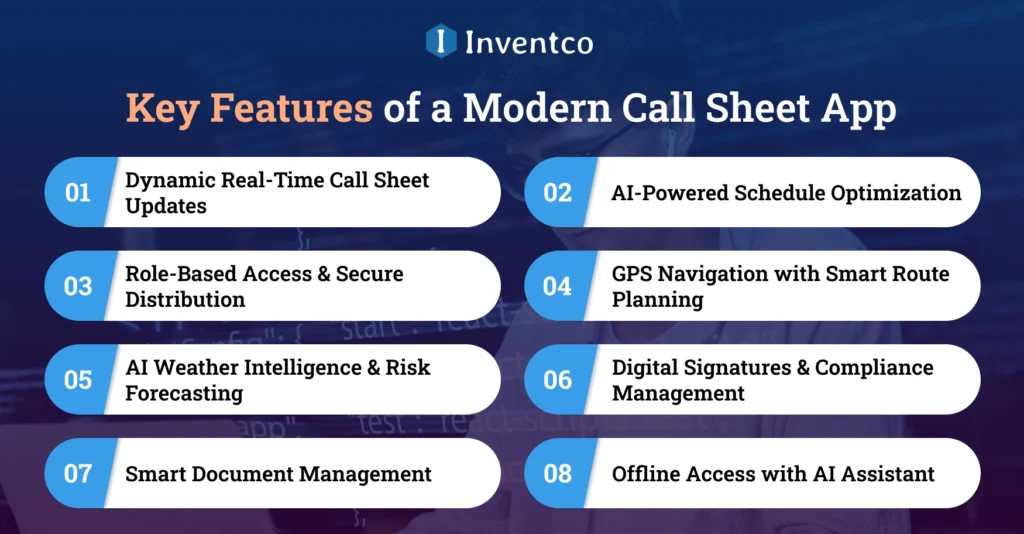
A functional call sheet app needs more than a digital version of a paper form. Founders building or commissioning one in 2026 should plan for the following core mobile app features:
1. Dynamic Real-Time Call Sheet Updates
Allow producers and 1st and 2nd Assistant Directors to update call times, scenes, or crew assignments, and have that change instantly update on every device to eliminate outdated call sheet PDFs and ensure the most up-to-date call sheet is available to the entire production team.
2. AI-Powered Schedule Optimization
Use AI to reduce or eliminate conflicts during a call, optimize crew availability, and automatically update production schedules to account for weather, travel delays, and changes in actors and other crew members.
3. Role-Based Access & Secure Distribution
Changing what an individual can see should be as easy as changing a call sheet. Production managers can keep their personal and production data private while having full control of the info listed for the actors, crew, and vendors.
4. GPS Navigation with Smart Route Planning
Use dynamic GPS maps and turn-by-turn navigation to filming sites, parking/basing locations, and nearby resources. AI can find faster alternative routes by observing and analyzing traffic flow and road conditions.
5. AI Weather Intelligence & Risk Forecasting
Use AI to offer real-time weather updates, along with sunrise and sunset times, and predict outdoor shooting, lighting, and wardrobe/equipment preparation risks to help crews adjust their plans before they lose time.
6. Digital Signatures & Compliance Management
Use e-signatures to allow cast and crew to sign call sheets and safety, NDA, and policy documents. Each individual’s approval is signed and timestamped. This creates a reliable and secure compliance audit trail.
7. Smart Document Management
Use a call sheet to communicate, along with attachments of scripts, scene breakdowns, safety manuals, maps, permits, production notes, and more. AI-Enhanced filing can help users find the necessary documents and reduce the burden of paperwork.
8. Offline Access with AI Assistant
For remote locations, essential information, including call sheets, maps, and contacts, can be stored on electronic devices for smooth offline access. An AI assistant can respond to production-related questions using the embedded data.
How to Build a Call Sheet App: Step-by-Step Process
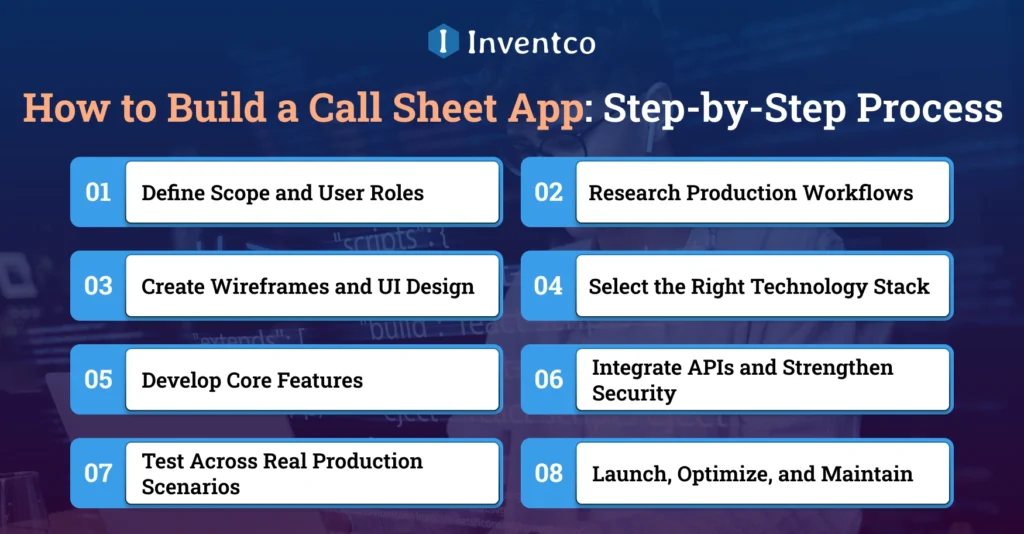
Creating a successful call sheet app requires more than coding. It demands careful planning, user-focused design, the right mobile app development process, modern technologies, and continuous optimization to deliver a reliable production management solution.
Step 1: Define Scope and User Roles
Determine who your users will be. Users can be producers, 1st ADs, department heads, cast, crew, and vendors. Decide what permissions, editing rights, and workflows will be assigned to whom. This will help you on your build a mobile app journey and make your app easier and cheaper to update in the future.
Step 2: Research Production Workflows
Study the production workflows of your potential app users. Work alongside producers and assistant directors to analyze their app usage, work gaps, and tasks that create communication bottlenecks. This will help you improve your call sheet app features.
Step 3: Create Wireframes and UI Design
Develop intuitive app wireframing layouts that organize app elements to help users quickly access their schedules, crew contacts, locations, the weather, and production paperwork. Create a prototype of the app to help you validate your design and the app structure. Be sure to consider usability improvements like increased contrast, simplified interactions, and improved accessibility.
Step 4: Select the Right Technology Stack
Choose the mobile app development tech stack that will yield the most reliable results for the goals of your project. Scalable development can be achieved by using popular mobile app development frameworks such as Flutter and React Native in conjunction with Node.js or Django. Additionally, offline storage with cloud sync and secure APIs can support uninterrupted production management across many devices.
Step 5: Develop Core Features
Build the key modules, including call sheet generation, real-time updates, permission-based access tied to assigned roles, GPS routing, weather, digital signature, offline access with sync, and alerts. Apply an iterative Agile Mobile App Development process to release the Minimum Viable Product (MVP) mobile App, then develop greater functionality through iterations.
Step 6: Integrate APIs and Strengthen Security
With secure integrations, implement mobile app security practices such as encrypted data storage, role-based authentication, secured APIs, and compliance to safeguard sensitive production data, including integrating mapping, routing, weather and time APIs, calendar synchronization, e-signature, and scheduling services.
Step 7: Test Across Real Production Scenarios
Mobile app testing should cover functionality under production conditions such as offline use, poor connectivity, multiple users, and cross-device synchronization. Performance testing should also validate the app’s security, usability, reliability, and stability prior to deployment to production teams.
Step 8: Launch, Optimize, and Maintain
The initial release of the app should be gradual, with continued updates based on user feedback and performance metrics. Improve the app’s visibility with App Store Optimization, apply the latest app development trends, and rely on mobile app maintenance for regular secure updates, bug corrections, and new features.
Call Sheet App Development Cost Breakdown
Call sheet app development cost depends primarily on feature depth, platform choice (iOS, Android, web, or all three), and the level of integration with existing production management systems. Based on current market benchmarks, most projects fall into one of three tiers.
| Tier | What’s Included | Cost Range | Timeline |
| MVP (Basic) | Call sheet creation, basic distribution, contact list, PDF export | $10,000 – $25,000 | 8-12 weeks |
| Mid-Tier (Growth) | + GPS mapping, weather integration, e-signature, push notifications, offline mode | $25,000 – $60,000 | 4-6 months |
| Enterprise (Full Suite) | + Scheduling/budgeting integrations, multi-studio support, advanced analytics, white-label | $60,000 – $100,000+ | 6-9 months |
These mobile app development costs cover UI/UX design, development, QA testing, and initial deployment. They typically exclude ongoing cloud hosting, third-party API costs (weather, mapping, and e-signature), and mobile app maintenance, which includes regular updates, bug fixes, security patches, performance optimization, and feature enhancements. Mobile app maintenance costs generally account for an additional 15-20% of the initial mobile app development cost annually.
Custom Call Sheet App vs Off-the-Shelf Software
Choosing between a custom call sheet app and off-the-shelf software depends on your production goals, budget, scalability needs, customization requirements, and long-term business growth strategy.
| Factor | Custom Call Sheet App | Off-the-Shelf Software |
| Ownership | Full IP ownership of the product | Vendor-owned, subscription-based access |
| Customization | Built around your exact production workflow | Limited to the vendor’s existing feature set |
| Integration | Deep API integration with scheduling and budgeting tools | Limited or paid add-on integrations |
| Cost Structure | Higher upfront investment, no recurring license fees | Lower upfront cost, ongoing per-seat subscription |
| Scalability | Scales with your shoot volume and product roadmap | Capped by the vendor’s pricing tiers |
| Branding | Fully white-labeled under your studio or product brand | Vendor branding, limited white-label options |
| Best For | Studios, platform businesses, high or growing shoot volume | Independent producers with low, predictable shoot volume |
For production companies handling a small, predictable volume of shoots, an off-the-shelf tool is often the pragmatic choice. For studios, production houses, or platform businesses looking to build call sheet software as a product, or to embed it inside a broader production management suite, custom development is the only path that protects long-term ownership and margin.
Common Challenges in Developing a Call Sheet App
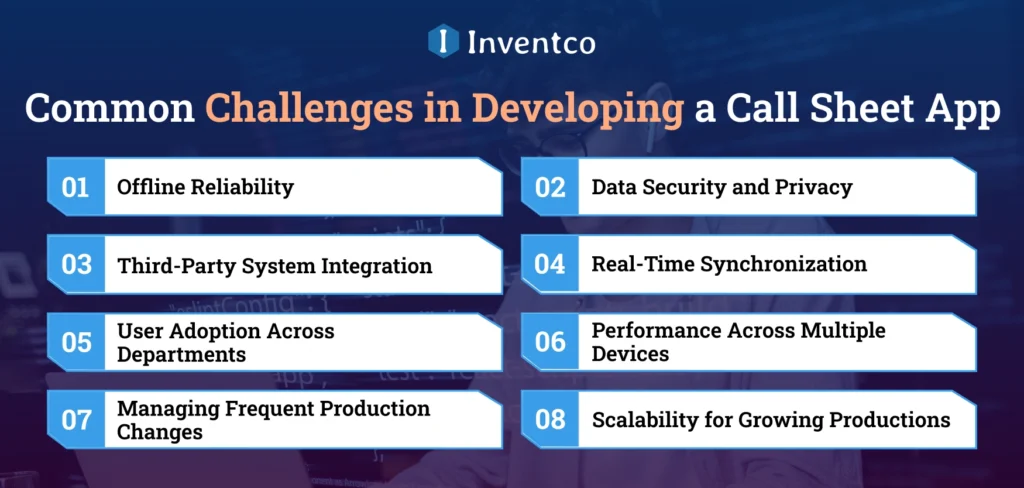
Building a call sheet app involves several mobile app development challenges, from offline reliability and secure integrations to real-time synchronization, user adoption, and delivering seamless performance across complex production environments.
1. Offline Reliability
Film sets are frequently in locations with poor or no internet access. Developers need to implement true offline sync rather than standard cache sync. Users on location need to be able to access and modify data as well as sync after connectivity is restored.
2. Data Security and Privacy
Call sheets contain sensitive data about the crew, emergency contacts, and production details. Protecting user data and providing access controls, security compliance, and authentication are necessary elements of constructing call sheet apps.
3. Third-Party System Integration
Production companies use other tools for scheduling, budgeting, and communications. Developing integrations and secure APIs to other production tools eliminates duplicate tasks and streamlines the production process.
4. Real-Time Synchronization
Hundreds of cast and crew members may access the same call sheet simultaneously. Building scalable infrastructure that instantly synchronizes updates without delays, conflicts, or crashes is among the biggest technical development challenges.
5. User Adoption Across Departments
Production teams are made up of people of varying degrees of technical expertise. Building a straightforward and user-friendly app is a key element to ensuring that the app is widely used by not only the crew and vendors, but directors and actors as well.
6. Performance Across Multiple Devices
Apps must perform consistently across multiple platforms. Responsive layouts, smooth interaction, fast performance, and device scalability require extensive optimization, especially when creating an app that functions across multiple platforms.
7. Managing Frequent Production Changes
Filming schedules, locations, weather, and crew changes change daily. Developers need to create flexible systems that allow changes to be made instantly. The flexibility needs to be communicated to all interested parties without interfering with production.
8. Scalability for Growing Productions
As production companies expand, the application needs to accommodate more users, create more projects, handle more data, and include more features, all while maintaining speed, reliability, security, and a good user experience.
How Can Inventco Help You in Developing a Call Sheet App?
Inventco is a leading mobile app development company that helps production companies, studios, and startups build scalable, feature-rich call sheet apps tailored to real-world production workflows. With expertise in media and entertainment software, we develop solutions that streamline crew coordination, scheduling, communication, and on-set operations, ensuring seamless production management from pre-production to wrap.
From Our Experience: We recently partnered with a production services company to replace its spreadsheet- and PDF-based call sheet process with a centralized mobile application. The solution included offline access, role-based permissions, GPS-enabled location tracking, digital sign-offs, and real-time notifications, enabling production teams to collaborate more efficiently throughout every shoot.
Our development process begins with understanding your production workflow before writing a single line of code. We then design and build a secure, offline-first platform with seamless third-party integrations, real-time synchronization, and scalable architecture. From MVP development to post-launch support, Inventco delivers custom call sheet solutions built for the demands of modern film, television, and commercial productions.

Conclusion
As production staff members increase in number and distribution, the cost of inaccurate or missed updates increases, advancing call sheet software from an optional software to a necessary software for every production. Call sheet software solves the problem of having an entire production staff working with the same or updated information.
As a founder developing a new product or a production studio modernizing your internal methods, the question now is no longer whether to develop, but rather how to precisely scope the methods from day one. A clear roadmap, a realistic budget, and a development partner who understands both software and set operations will determine whether your call sheet app becomes a tool crews actually use, or one more app that gets ignored by day three of the shoot.
FAQ’s
Q. How much does it cost to build a call sheet app?
Ans. Most call sheet apps cost between $10,000 and $100,000+ or more, depending on whether you’re building a basic MVP or a full production-management platform with integrations and enterprise features.
Q. How long does it take to build a call sheet app?
Ans. An MVP typically takes 8-12 weeks. A mid-tier app with integrations runs 4-6 months, and enterprise-grade platforms with scheduling and budgeting modules can take 6-9 months.
Q. Should I build a custom call sheet app or use existing software?
Ans. If your shoot volume is low and predictable, off-the-shelf tools like StudioBinder or Yamdu are usually more cost-effective. If you’re building a product for multiple studios or need deep integration with existing systems, custom development protects long-term ownership and scalability.
Q. What features are non-negotiable in a call sheet app?
Ans. Real-time editing, offline access, role-based distribution, GPS-mapped locations, and digital sign-off are baseline expectations for any production-ready call sheet app in 2026.
Q. Can a call sheet app integrate with scheduling software like Movie Magic?
Ans. Yes. Most call sheet apps integrate with existing scheduling and budgeting tools via API, which avoids duplicate data entry and keeps production teams working from one source of truth.
Q. How does Inventco price call sheet app development?
Ans. Inventco prices each call sheet app development project based on your feature requirements, supported platforms, third-party integrations, and overall project complexity. Most projects typically range from $10,000 to $100,000+, depending on the scope and customization required.

Jitendra Jain
He is the CEO and Co-founder of Inventco, driving innovation in advanced computing and digital transformation. With deep expertise in modern IT ecosystems, he leads scalable, secure, future-ready solutions. His strategic leadership helps businesses accelerate growth, adopt innovation, and achieve success. You can connect with him on LinkedIn to follow his technology insights.