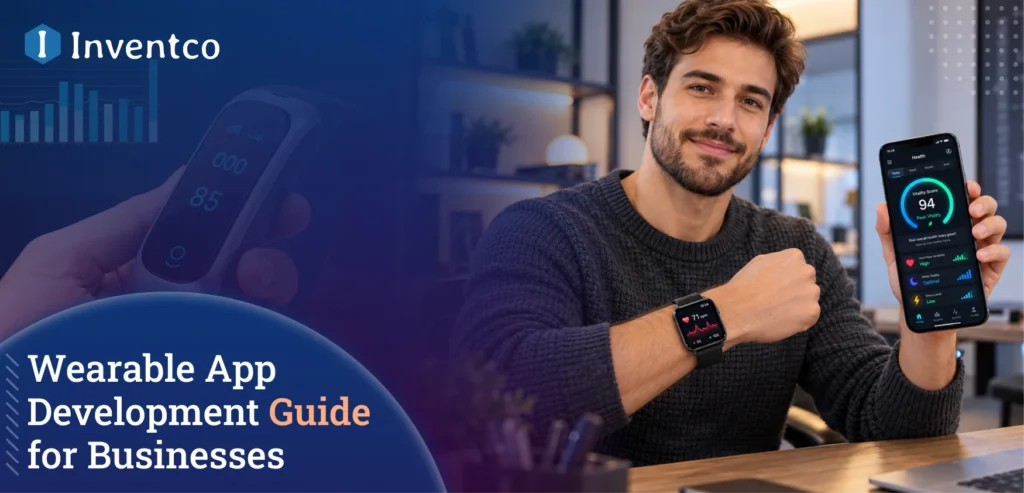
Quick Answer: Wearable app development links a fitness or health app to devices like smartwatches, fitness bands, and rings so raw sensor readings turn into insights people can actually use. A basic companion app starts around $20,000, while advanced, AI-driven platforms can run past $150,000.
A few years ago, wearables were a novelty strapped to a wrist. Now they’re the primary way a lot of people track their health, and businesses that ignore this shift are leaving real money and real user trust on the table.
The scale here is hard to overstate. The wearable technology market is projected at roughly USD 188.67 billion in 2026, climbing to USD 413.67 billion by 2033, growing at a compound annual rate near 14.7%. That’s not a niche category anymore. It’s mainstream consumer behavior.
Healthcare is where the growth gets even steeper. Market researchers now put the wearable medical devices industry at about USD 53.72 billion in 2025, expected to reach USD 523.58 billion by 2035, a CAGR north of 25%. Remote monitoring, continuous vitals tracking, and AI-assisted diagnostics are driving demand for these technologies, while the growing role of AI in the fitness industry is also shaping how fitness and health platforms use wearable data to deliver more personalized insights.
Key Takeaways
- Wearable app development now sits at the center of both fitness and healthcare app strategy, not on the sidelines.
- Costs range from $20,000 for a basic companion app to $150,000+ for advanced, AI-integrated platforms.
- Battery functioning, offline sync, and real-time data accuracy matter more here than in typical mobile apps.
- Security and compliance (HIPAA, GDPR) aren’t optional once you’re handling health data from a wearable.
- The biggest mistakes founders make usually come down to underestimating sensor variability and skipping proper testing on real devices.
What Is Wearable App Development?
Put simply, wearable device app development means building software that runs on, or talks to, a device worn on the body, a smartwatch, fitness band, smart ring, or even smart clothing. These apps pull data from onboard sensors like heart rate monitors, accelerometers, and GPS chips, then process that data either on the device itself or sync it to a connected mobile app.
The tricky part is that a wearable app rarely works alone. It’s usually paired with a companion mobile app and sometimes a cloud backend, so the whole system needs to talk to itself smoothly across three different environments with three different constraints: limited screen space, limited battery, and limited processing power on the wearable side. Anyone building this for the first time benefits from understanding how a standard mobile app comes together before adding wearable-specific complexity on top.
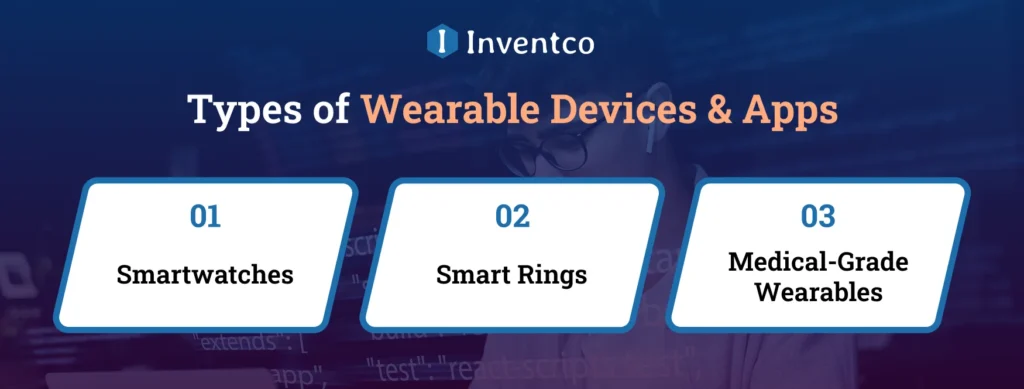
Types of Wearable Devices & Apps
Not all wearables serve the same purpose, and the app you build depends heavily on which category you’re targeting.
1. Smartwatches
Smartwatches like Apple Watch, Wear OS devices, and Garmin are the most versatile category, with everything from fitness tracking to notifications to payments. Fitness bands from Fitbit, Xiaomi, and Mi Band target more narrowly, mostly activity and sleep tracking, at a lower price point that appeals to a wider audience.
2. Smart Rings
Smart rings like Oura have carved out their own niche around recovery and sleep metrics, appealing to users who don’t want a screen on their wrist. Smart clothing and fabric sensors are still an emerging category, but they’re gaining traction in sports performance and physical therapy settings, where precise muscle activity data matters.
3. Medical-Grade Wearables
Medical-grade wearables, continuous glucose monitors, ECG patches, and similar devices sit in their own category entirely, since they carry regulatory requirements that fitness-only wearables don’t. The decisions that go into building a fitness app from the ground up largely carry over here too. They just need to account for the extra sensor layer.
Key Features of a Successful Wearable App
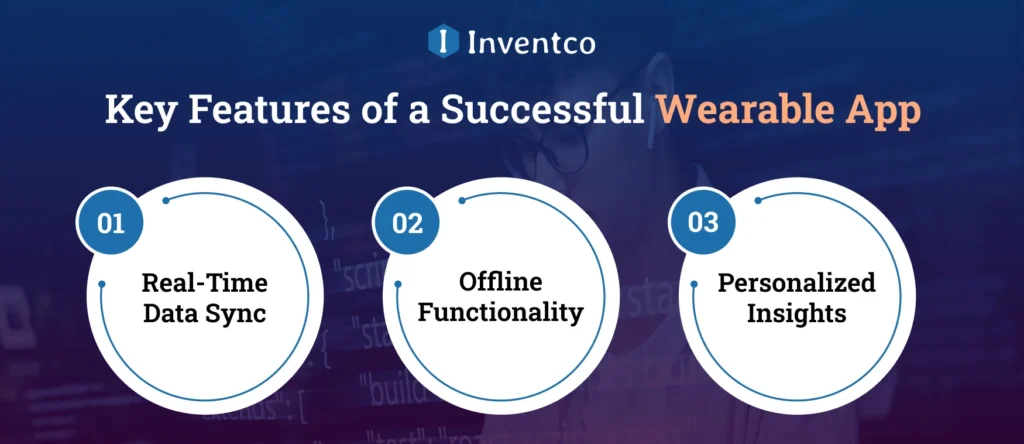
A wearable app succeeds or fails on a handful of decisions made early in the build, not on flashy extras added later. Understanding the key mobile app features that support usability, performance, and engagement can help teams prioritize the right functionality from the start.
1. Real-Time Data Sync
Real-time data sync between the wearable, the companion app, and the cloud has to be near-instant and reliable, or users lose trust in the numbers fast. Battery-conscious design is non-negotiable. An app that drains a smartwatch in four hours won’t survive on the app store no matter how good its dashboard looks.
2. Offline Functionality
Offline functionality matters more here than in most app categories, since users work out in gyms with spotty signals or go for runs without their phone. Good wearable apps cache data locally and sync once a connection returns.
3. Personalized Insights
Personalized insights, not just raw numbers, are what actually keep users engaged. Showing someone their heart rate is table stakes. Telling them their recovery pattern suggests they should rest today is what makes an app worth paying for. AI in mobile app development can support these experiences by analyzing user data and generating more personalized recommendations.
If your business is exploring this on the fitness side specifically, working with an experienced fitness app development company early in the planning phase can help you avoid common mobile app development challenges, including the trap of building generic tracking features that every competitor already has. And if your wearable app leans more toward clinical or patient-monitoring use cases, the depth needed there usually calls for a partner with dedicated healthcare software development experience, since regulatory expectations shift the moment you’re handling clinical data.
Use Cases of Wearable App Development
The applications go well beyond counting steps at this point.
Employers running corporate wellness programs now routinely pull wearable data to run engagement challenges and track participation across teams. On the coaching side, personal training platforms use the same data to adjust workout intensity in real time based on heart rate zones and recovery status.
Remote patient monitoring is arguably the fastest-growing use case, letting clinicians track patients with chronic conditions without requiring in-person visits for every check-in. Even nutrition and diet apps are starting to pull wearable data now, syncing activity levels with calorie recommendations to make suggestions feel less generic.
Sleep and recovery tracking has become a category of its own, with users increasingly caring as much about how well they slept as how much they moved.
Wearable App Development Process (Step by Step)
Building a wearable app follows a similar rhythm to standard mobile development, with a few extra checkpoints along the way. Following a structured mobile app development process can help teams plan these stages effectively while accounting for the additional requirements of wearable devices.
It starts with discovery and device selection, deciding which wearables to support first rather than trying to cover every device on day one. Next comes UX design for small screens, which is genuinely a different discipline from designing for a phone. Creating a mobile app prototype early can help teams validate screen layouts and user flows before development begins. Anyone unfamiliar with that step can get a feel for how wireframing shapes a mobile build before diving into a wearable-specific layout.
From there, teams move into SDK integration, connecting to platform-specific tools like WatchKit for Apple Watch or Wear OS APIs for Android-based devices, followed by backend and sync architecture to handle the constant flow of sensor data between devices and servers. Testing on real hardware comes next, and it can’t be skipped in favor of simulators, since battery behavior and sensor accuracy simply don’t translate the same way. The same discipline that goes into thorough app testing generally applies here, just with an extra layer of physical device checks a phone-only app wouldn’t need.
Finally, there’s launch and post-launch monitoring, tracking how the app performs across different device models and OS versions in the wild, since wearable fragmentation is real and ongoing.
Wearable App Development Cost
Pricing here depends on how many devices you’re supporting and how much backend intelligence sits behind the app.
| Tier | Cost Range (USD) | Timeline | Example Scope |
| Basic | $20,000 – $45,000 | 8–14 weeks | Single wearable support, basic sync, simple dashboard |
| Mid-Complexity | $45,000 – $90,000 | 4–7 months | Multi-device support, offline sync, custom analytics |
| Advanced | $90,000 – $150,000+ | 7–12+ months | AI-driven insights, medical-grade compliance, multi-platform backend |
Several factors push the number up or down from there: how many wearable brands you support, whether you need HIPAA-level compliance, and how much custom analytics work goes into the backend. These variables echo a lot of what shapes fitness app development cost more broadly, and the same logic applies to budgeting for a mobile app outside the fitness space too.
Beyond the initial development, wearable apps require ongoing maintenance for OS updates, device compatibility, bug fixes, app security, and performance improvements. Annual maintenance typically costs around 15–25% of the initial development cost, depending on the app’s complexity and ongoing support requirements. Factors such as updates, integrations, and device compatibility also influence mobile app maintenance costs.
Security and Compliance in Wearable App Development
Wearables collect some of the most sensitive data an app can touch: heart rate, sleep patterns, location, sometimes even reproductive health metrics. That makes security a first-order concern, not an afterthought bolted on before launch.
If your app touches anything resembling patient health information in the US, you’re likely looking at HIPAA obligations that shape how data gets stored and shared from day one. Apps built for a European audience carry their own weight too. Under GDPR, consent and data-handling requirements pile on fast, and teams often underestimate them until an audit makes the point.
Meeting the regulatory requirements is only half the job. The app also needs to encrypt data while it’s moving and while it’s stored, pair with devices securely, and make it obvious to users what they’re agreeing to share. Build all of that into the proper architecture from day one. Adding it later is always messier and never quite as solid. Getting these fundamentals right aligns with broader mobile app security principles, with wearables adding an extra transmission point to secure.
Common Wearable App Development Mistakes to Avoid
A few recurring mistakes show up across almost every wearable project that runs into trouble.
Ignoring battery impact during design is the most common one. Features that seem harmless on a phone, like frequent background syncing, can drain a smartwatch battery in hours. Treating all wearables the same is another trap. A Fitbit and an Apple Watch have completely different SDKs, screen sizes, and sensor capabilities, and building one generic experience for both usually means a mediocre experience on each.
Skipping real-device testing in favor of simulators leads to surprises after launch, since sensor accuracy and connectivity behave differently across actual hardware. Underestimating sync complexity trips up a lot of teams too. Keeping data consistent across a wearable, a phone app, and a cloud backend, especially with intermittent connectivity, is harder than it sounds on paper.
Overlooking compliance until late in development is probably the costliest mistake, since retrofitting HIPAA or GDPR requirements into an already-built architecture usually means rebuilding core parts of the system.
Tech Stack & Tools for Wearable App Development
The right technology stack depends on which devices you’re targeting, but here’s what tends to work well across most projects.
| Layer | Common Tools |
| Wearable OS Frameworks | WatchKit (Apple), Wear OS SDK (Android), Tizen (Samsung) |
| Cross-Platform Development | Flutter, React Native (for companion apps) |
| Backend & APIs | Node.js, Firebase, AWS IoT Core |
| Data Sync | HealthKit, Google Fit API, Bluetooth Low Energy (BLE) |
| Analytics & AI | TensorFlow Lite, Core ML |
| Security | OAuth 2.0, end-to-end encryption libraries |
Picking between these options usually comes down to the same trade-offs that shape mobile app framework decisions elsewhere, weighed against how much native performance a given wearable actually demands.
Future of Wearable App Development Business
Health apps are changing fast. People now expect more than a screen full of numbers. They want the app to tell them when to rest, or to flag a possible health problem early. The same shift is happening across the fitness industry. Wearables are also becoming more medical-grade, so the gap between a basic fitness tracker and a diagnostic device keeps getting smaller.
There’s a bigger shift brewing around how devices talk to each other too. People no longer want their fitness data trapped inside a single brand’s app, and they’ll switch to whichever ecosystem lets that data move freely. Businesses building with open standards from the start will find it far easier to keep pace as this expectation grows.
How Inventco Can Help You Develop a Wearable App for Your Business?
We’ve built wearable-connected features across fitness and healthcare projects, and the pattern that consistently separates good builds from mediocre ones is planning for device fragmentation and compliance from day one, not after the first version ships.
Our team handles both sides of this equation. On fitness-focused builds, we bring practical, on-the-ground experience with wearable SDK integration and real-time sync work that’s already shipped in production. For projects touching patient data or clinical use cases, our custom healthcare software development team brings the compliance depth that medical-adjacent wearable apps require. Whichever direction your business is headed, we’d rather scope the project properly upfront than hand you a generic template that breaks under real-world device testing.
Conclusion
Wearable app development has moved past the experimental phase. It’s now a core part of how fitness and healthcare businesses build trust with users who expect real-time, personalized insight rather than static dashboards. The businesses getting this right aren’t necessarily the ones with the biggest budgets. They’re the ones that plan for battery limits, device fragmentation, and compliance from the start instead of treating those as afterthoughts.
If you’re weighing whether to build a wearable-connected app for your fitness or health business, starting with a clear scope and an experienced team will save you far more than it costs.
Frequently Asked Questions About “Wearable App Development Guide”
Q1. What really is wearable app development?
Ans. It’s building software for devices you wear, mostly smartwatches and fitness bands, instead of for a phone. And no, it isn’t just a phone app squeezed onto a smaller screen. The display is tiny, the battery gives up fast, and people only glance at these things for a couple of seconds. So the whole experience gets rebuilt around quick, sensor-driven data like heart rate, steps, or sleep.
Q2. How much does it cost to build a wearable app?
Ans. Honestly, it depends. Features, supported devices, and platform requirements all move the number. A basic app for a single wearable usually lands between $20,000 and $45,000. The wearable app development cost climbs once you bring in AI, connect several devices, handle sensitive health data, or need medical-grade compliance. If AI is a major part of the product, factors such as model selection, integration, and infrastructure can also influence the cost of AI app development. At that point, $150,000 and above isn’t unusual.
Q3. How is healthcare wearable app development different?
Ans. Healthcare wearable app development is about apps that pull health data from smartwatches, fitness trackers, and medical wearables, then monitor it and make sense of it. Security has to be tighter, regulations have to be met, and readings need to be clinically accurate. Often the app also has to talk to hospital systems like electronic health records. A regular wearable app rarely has to deal with any of that.
Q4. How long will it actually take to build a wearable app?
Ans. Time to develop an app really depends on what you want to build. A simple app can be live in 8 to 14 weeks. But if you’re planning a multi-device platform with AI features, expect anywhere from 7 to 12 months before you launch.
Q5. What are the usual preferred platforms and frameworks by developers?
Ans. Most of the time, it’s the device. WatchOS is the operating system that powers the Apple Watch’s apps. Wear OS runs on Android watches, and older Samsung models run Tizen. Most wearables also come with a companion phone app, and for that, teams will often choose Flutter or React Native so they don’t have to build everything twice.
Q6. Which industries get the most out of wearable apps?
Ans. Healthcare, fitness, logistics, and retail are leading the way right now. Hospitals use wearables to keep an eye on patients from a distance. In warehouses, they help track worker safety and warn people about hazards on the floor.

Jitendra Jain
He is the CEO and Co-founder of Inventco, driving innovation in advanced computing and digital transformation. With deep expertise in modern IT ecosystems, he leads scalable, secure, future-ready solutions. His strategic leadership helps businesses accelerate growth, adopt innovation, and achieve success. You can connect with him on LinkedIn to follow his technology insights.