Do you have an exciting app idea that could change the market? But what should you do now? Exactly how do you turn your idea into reality? How do you start, and what does the process look like? You are not the only one who wonders how much it costs to create an app, or which tech stack you should choose.
Whenever someone comes into the app market, whether it is a startup or an entrepreneur, they face similar app development challenges. This app development guide is designed for you to take step-by-step mobile app development process, from idea to launch. So, let’s start.
Key takeaways
- Mobile apps are no longer optional; by 2026, they will be crucial to business growth, with apps expected to generate $935 billion in revenue and users spending nearly 5 hours per day on them.
- Developing an app involves a strategic process: validating your idea, researching the market, defining MVP features, designing wireframes, selecting the right tech stack, coding, testing, and maintaining post-launch.
- Choosing the right technology, whether native, hybrid, or no-code, impacts your app’s cost, development time, and scalability, with hybrid options offering cost-efficiency for startups.
- App development costs vary widely from $10,000 for simple apps to over $100,000 for complex solutions, depending on features, platforms, and timelines.
- Staying competitive means embracing 2026 trends such as AI, AR/VR, 5G, and innovative monetization models, while partnering with experienced developers helps ensure your app’s success.
Mobile App Development Statistics You Need to Know
Still on the fence about creating a mobile app? Let these 2026 mobile development stats convince you:
- Mobile apps are projected to generate an impressive $935 billion in revenue this year, highlighting their massive impact on the global digital economy.
- About 70% of users prefer browsing on mobile devices over desktops, highlighting the shift toward mobile-first experiences.
- The average user spends 4.8 hours per day on mobile apps, making them a central part of everyday life.
- Businesses with mobile apps see up to 3x more user engagement, demonstrating that apps significantly boost customer interaction.
Mobile apps are not just for show anymore, they are an essential part of your business growth. With these trends, 2026 is the perfect time to create an app that delivers massive results for your business.
In the next section of this app development guide, we cover why you should invest in a mobile app for your business. So ready to jump in?
Top Reasons to Invest in a Mobile App for Your Business
We are one step closer to understanding how to create a mobile app, but first, we should consider why we should develop one. Whether you’re a startup or a company, a mobile app could be the exact tool your business needs to level up. Let’s take a look at the top reasons to invest in a mobile app for your business.
► Expand Your Reach to a Global Audience
According to recent statistics, over 6.8 billion people worldwide use smartphones, making mobile apps a powerful way to reach a global audience.
- Localized Experiences: It is one of the most famous techniques to enhance your reach, as you change your currency, language, and content for all users of your app, which makes your brand more personal, relevant and accessible for all users worldwide.
- 24/7 Accessibility: In your app, you can create a 24/7 shop that lets users connect with your brand anytime, anywhere.
- Offline Capabilities: One of the most attractive features for engaging users in your app is offline access, data saving, and engaging forms. These features keep users connected to your brand without an internet connection.
Ever wonder how brands like Airbnb stay connected with people around the world, 24/7? It’s all about mobile apps providing quick, location-free access to services anytime, anywhere.
► Build a Personalized Marketing Channel
Your mobile app is not just a tool; it’s a personalized way to communicate. With your users in the right way:
- Push Notifications: It is one of the best features to connect with your users. By creating a mobile app, you can send promotional messages, personalised information, offers, and deals to your customers.
- Behavior-Based Recommendation: This can help you analyze your users and provide custom content, products, and services that connect them with your brand and give them a personal touch.
- In-App Promotions: You can launch an exclusive offer in your app or offer app-specific services to your users, creating excitement and driving quick results.
Mobile apps empower your business to enter the market with laser-sharp precision, connecting users directly without relying on third-party platforms.
► Tap into Profitable Revenue Streams
A mobile app offers several monetization options that can help you turn your user base into revenue.
- In-App Purchases: One of the most famous app monetization models, which allows your users to buy your services, products, or features inside your app. It is best for e-commerce and gaming apps.
- Subscription Models: This is one of the most widely used mobile app monetisation models that generate consistent revenue for you. It generates revenue based on your subscription plan, with monthly or annual payments. Apps like Spotify and Netflix use the same model to offer exclusive content.
- Ad Monetization: A mobile app Ad Monetization strategy is one of the most common and widely used monetization strategies that turn high user traffic into revenue. Just integrate targeted ads; it is ideal for an app with a large user base, such as TikTok or Instagram.
- Freemium Models: You can adopt a freemium model by offering essential app features for free, and premium features such as advanced tools through a paid version.
According to recent stats, subscription-based apps make up 79% of revenue in non-gaming apps, which shows their real potential for monetizing an app.
► Build Stronger Relationships with Your Customers
Apps offer a genuinely personal link. You’re actually in your customer’s pocket. So why not use that room to connect better?
- Push Engagement: You can drive engagement with the push engagement and notification feature by sending relevant notifications, birthday deals, and cart notes, which help your brand name stay in users’ minds and make you their first choice.
- Loyalty Programs: You can build brand loyalty by rewarding regular users with perks and points, just like Starbucks does.
- Instant Support: This is a must-have feature you can add to your mobile app. You can add an in-app chat or help center to your app that offers real-time assessment of user queries, helping your brand build user trust and reduce user anxiety.
With the right features in your mobile app, it becomes more than just a tool, it becomes a habit for your users to come back again and again.
► Strengthen Your Brand Presence
Brand presence in the market is one of the most essential parts when creating an app. Your mobile app is not just a tool, it’s a digital extension of your brand that connects with users every time and has a high impact on your brand image.
- Consistent Branding: Every screen of your business app, from visuals to tone of voice, should show your brand personality and communicate to users what you stand for.
- Custom Features: Integrate Unique features that reflect your goal, whether it’s eco-friendly choices, health tools, or immersive AR experiences.
- Market Positioning: In industries where rivals lack an app, yours quickly positions you as a forward-thinking star.
Think of your app as your digital brand agent, always clean, always present, and consistently promoting you.
► Adapt to Consumer Behavior Trends
With the growing digital market and rapidly changing user behaviours, mobile apps now account for 70% of digital media. This trend shows the growing demand for faster, more reflective experiences. You need to adopt the trends and behaviours of your user base and adapt to them.
- Instant Access: Your mobile app loads significantly faster than a standard website or app, reducing wait times and keeping users stress-free with a seamless experience.
- Personalization: AI-powered features like chatbots, generative AI, and so on make your app user-friendly and anticipate your users’ needs, which offers tailored content and suggestions before your users ask for it.
- Convenience: User convenience is one of the most important things. Whether it’s planning, shopping, or reading on the go, your app needs to simplify every interaction, making daily tasks quicker and more efficient.
Companies like Amazon, Netflix, and Spotify are the masters of this method, and now it’s your turn to lead the way.
► Scalability
Scalability is one of the most important factors that make you invest in mobile app development. As your business grows, you can easily adapt to your users’ evolving needs through your app.
- Modular Features: You can start your business app with just an MVP app, with which you can create value in the market, and after that, you can add features such as a booking system, loyalty program, and multi-language or currency support.
- Backend Flexibility: A strong backend architecture ensures your app can scale seamlessly, by which your app can handle more users, high transaction loads, and global reach.
- Data Analytics: You can track a real-time performance report to see what is working for you and what is not. With that data analysis, you can make smart choices and grow your business.
The scalability of your app ensures your business growth. Ultimately, creating a mobile app isn’t about the features, it’s about creating an immersive experience that keeps your users engaged and coming back to use.
Step-by-Step Guide: How to Build a Mobile App from Scratch
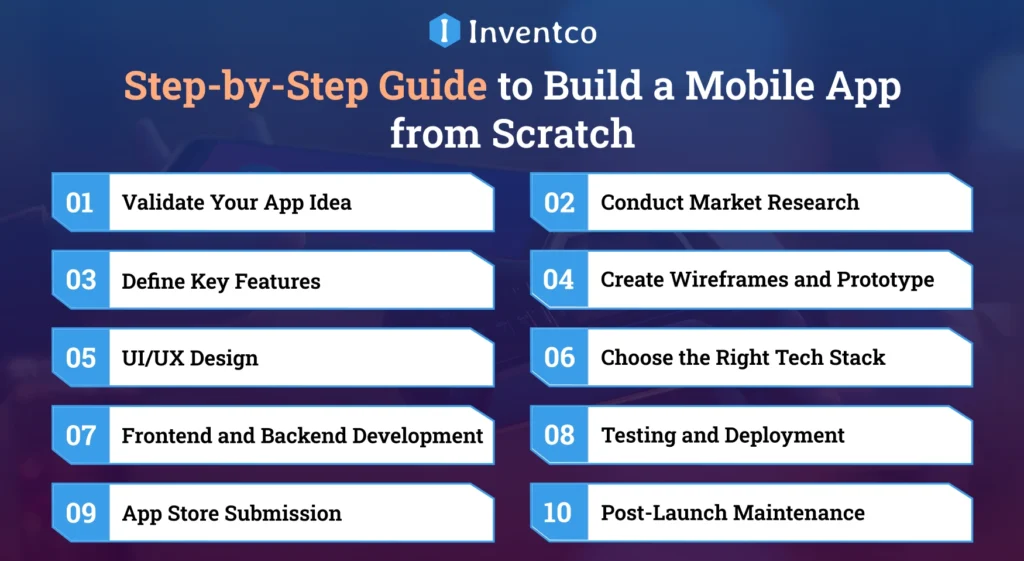
Creating a mobile app in this modern era is like building a smart home: it requires a strong plan, the right tools, skilled hands, and a clear vision. Similarly, creating an app also requires the right mobile tech stack, skilled developers, a solid plan, and a clear aim.
In this step-by-step mobile app development process guide, we talk about everything you need to know from idea to app launch.
Step 1: Validate Your App Idea
To begin mobile app development, you must first confirm that your app idea is worth bringing to the mobile platform marketplace. Ask yourself: Does the app idea solve an issue? Will users care enough to use the app consistently?
What to do:
- State the core issue that the app idea is aiming to solve
- Determine your potential users and their pain points
- Investigate existing apps that solve a similar issue
- Analyze your potential competitors. Are there areas that your competitors are lacking?
- Identify your core unique value proposition.
- What is in it for the users and businesses?
Example: Are you developing an app that promotes mental wellbeing? Before starting development, take a look at the competition to understand their apps, Calm and Headspace. Go a step further and read user reviews to gain insight into the need for mindfulness and mental wellbeing routines, check-ins, or guides. Don’t just aim to build a mobile app that solves similar issues, build one that addresses issues competitors don’t.
Step 2: Conduct Market Research
Once you have validated your app idea, the next step is to analyze potential users and the competition. This step will be key to understanding who your potential users will be. Additionally, it will help you analyze your competition and identify market gaps. This will increase the chances that your app will be unique and provide value to the market. A thorough analysis will provide insight into how to build the product that your potential users want.
What to do:
- Identify the potential users of your app. Analyze them by age, location and interests, as well as how they will be using your app.
- Analyze the competition. Identify the most popular app features and analyze user concerns.
- Use App Annie and Sensor Tower to analyze and track the competition in the market.
- Use surveys, interviews and web polls to analyze the users of your app.
Example: If your app will be used to deliver food, do not rely only on DoorDash and Uber Eats. Are Do Diggy users more concerned with fast-food delivery, a wider variety of food, or customized offers? A good analysis will provide the insight you need to win your potential users.
Step 3: Define Key Features
Narrowing your focus to core features gives your development team clarity about what needs to be done, what does not, and what helps them stay focused to complete the project within budget and time constraints. The goal should be to avoid the cycle of budget increases caused by scope changes.
What to do:
- List features that are vital and those that are optional.
- Prioritize these based on user needs, app goals, and long-term scalability.
- Every feature should address a user value problem.
Example: For a Fitness App:
- Must-Have: Workout logging to track sessions, progress tracking with visual stats, and push notifications for reminders.
- Nice-to-Haves: A social feed to connect with friends, interaction with gadgets like Fitbit or Apple Watch, and access to live teachers for real-time lessons.
Careful feature selection leads to balanced user satisfaction and business success.
Step 4: Create Wireframes and Prototype
Your features are set, and now you need to express your mobile app. This stage links strategy and execution, allowing you (and your team) to imagine how users will travel and interact with your app.
What to do:
- Start with rough wireframes to sketch each screen and user journey. Fancy design tools are not necessary at this stage. Pen and paper are just as good for starting out.
- Use tools like Figma, Adobe XD, or Sketch professionally to convert those wireframes to working, interactive mockups.
- Get some real users to test the interface. These will help you gather feedback for testing on design, flow and usability.
- Use feedback to design before you start coding.
Pro Tip: Keeping it minimal is better at this stage. A focused, clean app prototype helps you test and iterate on user experience and functionality without having to redesign or develop later. Think of it as a dress rehearsal for your app. It should be good enough to test, get feedback, and to improve the user experience before the real launch.
Step 5: UI/UX Design
A great mobile app design isn’t just about looking good, it’s also about the functional aspects. This step should join the visually appealing with the functional aspects of the app.
What to do:
- Everything from design to colors, fonts, icons, and tone should be consistent, as it speaks to the brand.
- The overall flow and design should be user journey-focused. Design each step, including the actions and goals.
- Make sure your style is adaptable to create seamless experiences across various screen sizes and device types.
- Consider that accessibility, color choices, text size, and tap target size are highly impactful.
Best Practice: Leverage design tools like Google’s Material Design or Apple’s Human Interface Guidelines. These systems ensure visual consistency and help your design and dev teams stay aligned, resulting in fewer revisions and quicker turnaround times. Users love well-designed, easy-to-use apps, which sweetens the deal.
Step 6: Choose the Right Tech Stack
The success of your application will depend on the technology used. Selecting the best tech stack will help your app operate within the budget, run efficiently, and scale to meet the demand.
What to do:
Decide on your development approach:
- Native applications (built separately for iOS and Android) provide the best performance and make the most of device-specific features.
- Cross-platform app frameworks like Flutter and React Native are better suited to faster, lower-cost development, but they may struggle with more demanding performance requirements.
Pick backend technologies based on your app’s complexity:
- Lightweight? Consider using Firebase or Supabase.
- More complex? Look into Node.js, Python (Django), or Ruby on Rails.
Plan for scalability: Ensure your stack supports growth in users and features, and enables smooth third-party integrations (such as payment gateways or analytics tools).
Pro Tip: If your budget and time constraints are small, go for cross-platform development. Conversely, if performance is more important, native models are better.
Step 7: Frontend and Backend Development
With the tech stack and design done, it is time to create the working product. The code will come alive with imagination and design.
Frontend (Client-Side): This is the part that implements the user interface (UI) designs. The interface’s designs and layouts are brought to life through programming, and its interactivity is enhanced by animations and transitions.
Technologies include:
- Swift for iOS app development
- Kotlin for Android app development
- React Native or Flutter for cross-platform development
Backend (Server-Side): This is the part that handles the behind-the-scenes work, such as storing data, managing user accounts, ensuring security, linking APIs, and programming the server.
Popular backend tools include:
- Node.js
- Ruby on Rails
- Firebase
- AWS
Best Practice: Agile is the best option, where development work is broken down into individual steps called sprints. This method makes it easier to organize work, control bugs, and align your team with the business’s objectives. The goals of the development sprints are to implement small modifications that simplify the product launch and reduce risk.
Step 8: Testing and Deployment
Testing eliminates bugs, ensuring that the users’ first impressions of the application are positive. Application launch is done with careful consideration because first impressions should be positive, and async or lag issues should be avoided.
Types of Testing to Cover:
- Functional Testing: This tests whether the application’s features work as specified.
- Performance Testing: This tests whether the application responds quickly and can handle a high volume of requests.
- Security Testing: This tests whether the application can protect users’ data and the data that users provide, such as payments.
- Compatibility Testing: The app is tested to ensure it works on a range of devices, screen sizes, and operating systems.
- User Acceptance Testing (UAT): Testing conducted by users to provide feedback that developers might have missed.
Recommended Tools:
- Appium for automation
- TestFlight for iOS beta testing
- BrowserStack for cross-device testing
What to Do:
- Test to the fullest on multiple platforms and devices.
- Beta testers and real users will help spot usability issues early.
- Launch and dazzle your customers.
Step 9: App Store Submission
It is now ready to launch! However, releasing your app on the App Store or Play Store is more than simply uploading a file and pressing “go.” It requires meticulous preparation and adherence to platform-specific guidelines.
What to Do:
- Check the Google Play Store and Apple App Store guidelines and make sure you follow them.
- Prepare clear, concise descriptions of the app.
- Make sure to use the right keywords to get people to the app.
- Add visually appealing promotional videos and descriptions.
- Make sure to choose the right pricing model and set it to the desired region.
Pro Tip: Be ready for the waiting period. Google Play is much faster at processing than the App Store; be prepared for the App Store to take much longer. To avoid frustrating delays and issues, ensure that the app is fully complete and thoroughly tested before submitting it to the App Store or Google Play Store.
Step 10: Post-Launch Maintenance
Once you launch your app, you will begin your partnership with your app. Merely being in the app store does not guarantee success. Your app will need constant updates, modifications, and mobile app maintenance.
What to Do:
- Use Firebase Analytics, Mixpanel, or Google Analytics to monitor and assess user activity, engagement, and to capture crash errors.
- Fix bugs quickly and release updates quickly to maintain a smooth user experience.
- Regularly receive user feedback through in-app polls, reviews, and direct help to guide your roadmap.
Scalability Tip: Your app should be built to adapt and grow with your user base. Your app will need to be improved based on user needs and data demand, and you should be adding to the core technology.
A great app isn’t built just once, it’s built, polished, and changed constantly. That’s how you turn a good app into a great product that people keep coming back to.
In 2026, designing an app will need successful alignment between engineered solutions, implementation strategies, and creative design. You should give users the opportunity to scale with your app and provide a good experience. Your app should provide a good user experience in the competitive app environment.
How to Choose the Right Tech Stack for Your App?
There are key steps to take when developing an application for a specific platform, such as iOS, Android, or a cross-platform solution. Below are the important aspects associated with the development of mobile applications:
1. Frontend Development Tools
Frontend app development tools shape the user experience. The user interface, the impression it creates, and the speed at which the app operates are all important components of the mobile app frontend stack.
Flutter
- Google develops it.
- Flutter is the perfect tool for cross-platform development as it uses a single codebase.
- It is an excellent choice to create high-performance apps for both Android and iOS.
React Native
- Backed by Meta (Facebook).
- Delivers near-native speed.
- With React Native, faster changes and a better app development process are made possible.
Swift
- Official language for iOS app development.
- Highly safe, fast, and it works perfectly with Apple’s environment.
- It is the best choice for creating iPhone and iPad apps.
Kotlin
- Official language for Android app development.
- Known for its safety features, simple grammar, and current capabilities.
- Preferred for original Android applications.
2. Backend Development Technologies
The mobile application’s backend is its brain, responsible for business logic, user management, database operations, and overall server-side performance. With the right backend technology, business growth and agility become easier.
Node.js
- This JavaScript engine is popular for its speed and efficiency.
- Node.js makes it possible to develop real-time and highly dynamic applications.
- It is great for current Android and iOS app development initiatives.
Ruby on Rails
- It is the most suitable stable web framework for rapid MVP development.
- The framework’s convention over configuration enables speed during server coding.
- It is preferred by firms that are in a hurry to reach the market first.
Firebase
- It is a Backend-as-a-Service (BaaS) offering by Google.
- Provides real-time database hosting, storage, and analytics.
- It is most suitable for applications that need to be deployed quickly.
AWS (Amazon Web Services)
- The platform provides a highly flexible and secure cloud technology.
- Suitable for enterprise applications and applications that require heavy server processing.
- It provides a lot of freedom in terms of storage, processing, and databases.
3. Databases
A database is the memory vault of your app, it determines how the app interacts with users by storing, retrieving, and filtering their data to create a seamless user experience. Your app’s complexity, the type of data, and data structures will determine the database that is most suitable.
MongoDB
- It is a flexible NoSQL database system ideal for unstructured, semi-structured, or random data.
- Designing without a schema is ideal for iterative applications.
- Best suited for development of Android and iOS applications that will undergo several changes.
PostgreSQL
- An open-source database of networking and relationship systems.
- Optimized for high performance and speed with advanced security.
- Well-suited for applications that have complex requirements for searching and processing.
4. Cloud Infrastructure & DevOps
For the seamless growth of your mobile application, the cloud infrastructure along with DevOps tools is crucial. Whether you are working on iOS or Android mobile app development, these technologies facilitate deployment, scalability, and improved application performance.
Cloud Hosting Providers
- Amazon Web Services (AWS), Microsoft Azure, and Google Cloud Platform provide dependable, safe, and scalable cloud solutions.
- Choose them based on your application’s performance requirements, your target user base size, and your budget.
DevOps
- Tools for CI/CD: Docker helps containerize your app for reliable settings.
- Kubernetes orchestrates containers for smooth deployment.
- Jenkins will simplify the build and deployment process, enabling faster delivery of changes.
Together, these tools will ensure your mobile application is ready to go.
5. Security & Authentication
Creating a mobile application involves protecting user data. However, it should not be viewed as optional. To build trust with your users, protection of their data, whether your app is for iOS or Android, is paramount, as is compliance with legislation regarding data privacy.
Authentication Protocols
- OAuth 2.0 authorizes access and is acceptable to most users.
- JWT (JSON Web Tokens) provides a self-contained, stateless security mechanism.
- For additional security, implement two-factor authentication as a standard practice.
Authentication Services
- Authentication empowers your app with superior protection in a seamless and prompt manner.
- With Firebase Authentication, social sign-on providers (Google, Facebook, and Apple) can provide streamlined sign-on functionality.
These strategies guarantee data security for your consumers while authentication ensures their identities remain undisclosed. From day one, mobile app security should be your principal focus. The functionality of your app depends on it.
6. Testing & Quality Assurance
These measures ensure your application runs flawlessly on all devices and platforms, which is essential for a positive user experience. Bugs and other issues can be identified and resolved with the right mobile app testing tools, improving your application’s efficiency and functionality.
Appium
- An open-source automation tool for testing native, hybrid, and mobile web apps across iOS and Android.
- Supports various programming languages, making it adaptable to different teams.
Espresso
- The standard testing framework for Android apps is provided by Google.
- Provides fast and precise UI testing directly in the Android environment.
XCTest
- Apple’s native testing framework for iOS app development.
- Provides seamless integration with Xcode for rapid unit and UI testing.
Selenium
- Although mainly used to test web applications, it adapts to mobile web apps.
- Supports testing across multiple browsers and is well-suited for apps accessed via mobile sites.
By selecting the right combination of these technologies, you can ensure your app delivers a seamless, bug-free experience across all devices and OS versions.
7. Analytics & Monitoring Tools
To create the best possible user experience, it is necessary to understand how the app is used and where the most improvements are needed. The most useful analytics tools help you improve the user experience and quickly find solutions to problems.
Firebase Analytics
- A free tool offered by Google that provides a wealth of information on user interactions and retention.
- Allows integration with other Firebase services, enabling complete app monitoring.
Mixpanel
- Provides more advanced analytics on user behavior, allowing the monitoring of specific actions and channels.
- A good fit for companies that want to increase user engagement and improve conversion rates.
Sentry
- Real-time error tracking and crash reporting.
- Assists writers in catching and correcting errors to keep the application steady.
Using these resources will keep you attuned to your users’ needs and experiences, helping you rebalance and adjust, improving the overall functionality of your application.
8. App Development Tools (IDEs)
Choosing the right development environment will help ensure effective coding and seamless application development. Each development platform has offerings tailored to different needs, enabling mobile application developers to easily build, debug, and test their applications.
Xcode
- The essential IDE for iOS apps, Xcode, offers everything you need to design, write code, and test apps for iPhones, iPads, wearables, and more. Making it ideal for iOS and wearable app development, among other applications.
- It is seamlessly compatible with Swift and Objective-C, and supports modeling and testing for the Apple ecosystem.
Android Studio
- Android Studio is the main IDE for developing Android applications.
- It is based on IntelliJ IDEA and offers a robust feature set, including a smart code editor, a testing framework, and an analytics engine to optimize the Android application development cycle.
Visual Studio Code
- This lightweight, highly customizable code editor is popular among mobile application developers, particularly for cross-platform development.
- VS Code is ideal for multi-platform frameworks like Flutter and React Native because it supports multiple programming languages and offers a wide range of extensions.
By using a platform-specific tool, you can write code and build your application more effectively.
Best Mobile App Niches (with Features Users Crave)
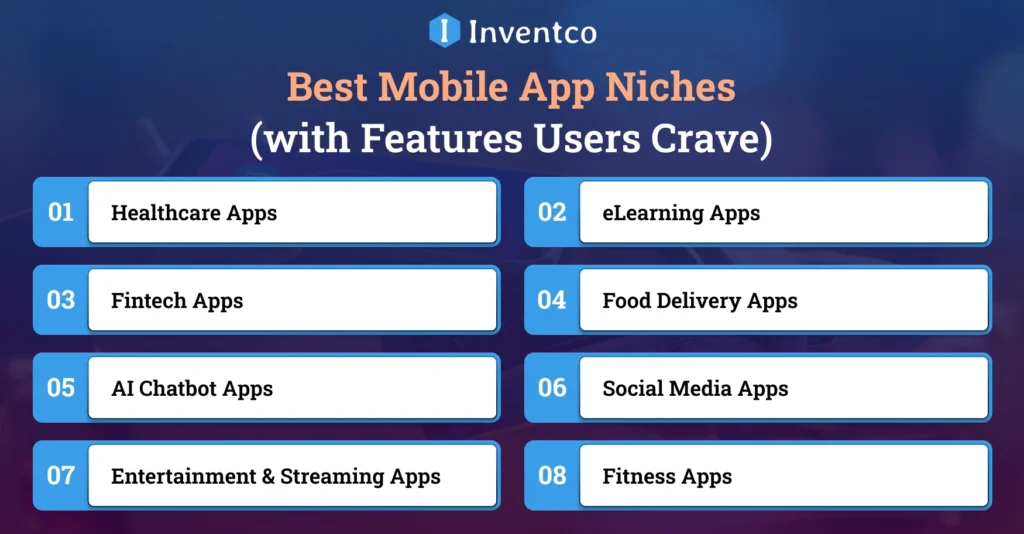
The mobile app development industry is rapidly changing, especially in niche markets. Establishing the correct niche is central to understanding the mobile app development process and helps determine app differentiators. From AI-powered personalization to advanced security features in fintech, the capabilities mobile apps can offer are endless, as are user desires. New and innovative features are consistently in demand.
Let’s break down each niche before going further into how to create a mobile app:
1. Healthcare Apps
Healthcare app development services have revolutionized the mobile healthcare space. They are useful for remote patient monitoring and can even detect certain symptoms using artificial intelligence. They can ultimately save both time and lives.
Features Users Crave:
- Telehealth and video advice options.
- Health tracking for vitals, medicine, and meetings.
- Integration with personal gadgets like trackers.
- Encrypted data storage for HIPAA compliance.
Examples: Practo, Teladoc
Perfect for hospitals, clinics, or health-tech startups looking to provide care at users’ fingertips.
2. eLearning Apps
The rapid growth of online education has created an increased user demand for eLearning apps. The demand has led to increased eLearning app development and allows users to learn and acquire skills wherever they wish, whenever they want, and at their own rhythm.
Features Users Crave:
- Video lectures and downloadable course content.
- Progress tracking and gamification.
- In-app quizzes and certificates.
- Live classes with chat and polls.
Examples: Coursera, Duolingo
An ideal space for educators, coaches, and training institutes targeting both students and professionals.
3. Fintech Apps
Fintech app development services prioritize security and simplicity. With these apps, banking, budgeting, and investing become straightforward.
Features Users Crave:
- Instant payments and UPI integration.
- Smart dashboards for tracking expenses.
- Fingerprint and voice-print security and fraud alerts.
- Investing and money holdings facilities.
Examples: PayPal, Robinhood
Ideal for finance startups seeking to enhance their digital banking and wealth management capabilities.
4. Food Delivery Apps
Craving more growth? Food delivery app development provides seamless and instant connections between customers and their favorite restaurants, offering convenience, satisfaction, and business success.
Features Users Crave:
- Order tracking with GPS.
- Contactless payment and delivery.
- Menu alteration and subscriptions.
- Rating and review systems, loyalty programs.
Examples: Uber Eats, DoorDash
A hot niche for restaurant owners and aggregators looking to digitize food services.
5. AI Chatbot Apps
The future is intelligence-based. The development of AI Chatbot Apps powers everything from smart personal assistants to productivity-enhancing AI applications that become adaptive, predictive, and smart.
Features Users Crave:
- AI Chatbots for instant assistance.
- Personalized suggestions and automation.
- Recognition of images and speech.
- Predictive analytics.
Examples: Replika, ChatGPT
Ideal for startups focusing on personalization, automation, or decision-making tools.
6. Social Media Apps
Social Media app development is ever-changing, providing real-time development of engaging, trend-based applications that cater to niche audiences, enhance user interactivity, and revolutionize how users connect, share, and communicate.
Features Users Crave:
- Real-time and live video sharing.
- Trendy filters and effects.
- Stories and disappearing content.
- Chat and response groups.
Examples: Instagram, Clubhouse
An excellent niche for those looking to tap into Gen Z and influencer culture.
7. Entertainment & Streaming Apps
Entertainment and streaming app development means content is king, providing music, films, and more on demand, with access to endless entertainment anytime, anywhere.
Features Users Crave:
- Ability to access content while offline.
- High-quality streams.
- Curated playlists and watch lists.
- Set subscription and family limits.
- Synchronized content on multiple devices.
Examples: Netflix, Spotify
A favorite for creators, production houses, and digital publishers.
8. Fitness Apps
Fitness app development encourages users to achieve their health and wellness goals by providing accurate, personalized plans, real-time tracking, and features that keep them engaged and committed every step of the way.
Features Users Crave:
- Goals and progress tracking
- Connected health devices and wearables
- Meal plans and integrated calorie tracking
- Activity and reminder alerts
Examples: MyFitnessPal, Nike Training Club
Fitness apps are great for clubs, personal trainers, and wellness brands targeting health-conscious individuals. Across all fitness apps, regardless of niche, the aim is to build features that enhance user engagement, address real problems, and scale easily with user needs.
How Much Does It Cost to Build a Mobile App in 2026?
The cost of developing a mobile app depends on several factors, including complexity, platform (iOS or Android), features, and the development team. Here’s a quick breakdown:
| Type of App | Estimated Cost (USD) | Development Time |
| Simple App | $5,000 – $50,000 | 2 – 4 months |
| Medium Complexity | $50,000 – $150,000 | 4 – 6 months |
| Complex App | $150,000 – $300,000+ | 6 – 12 months or more |
Still curious about how much it costs to create an app, or what you’ll spend to build one for your business? The truth is, there’s no one-size-fits-all answer. It all depends on what you’re building. But with thoughtful planning and the right team, you can keep costs in check and get the most value from your investment.
Must-Have Features Every Successful App Includes
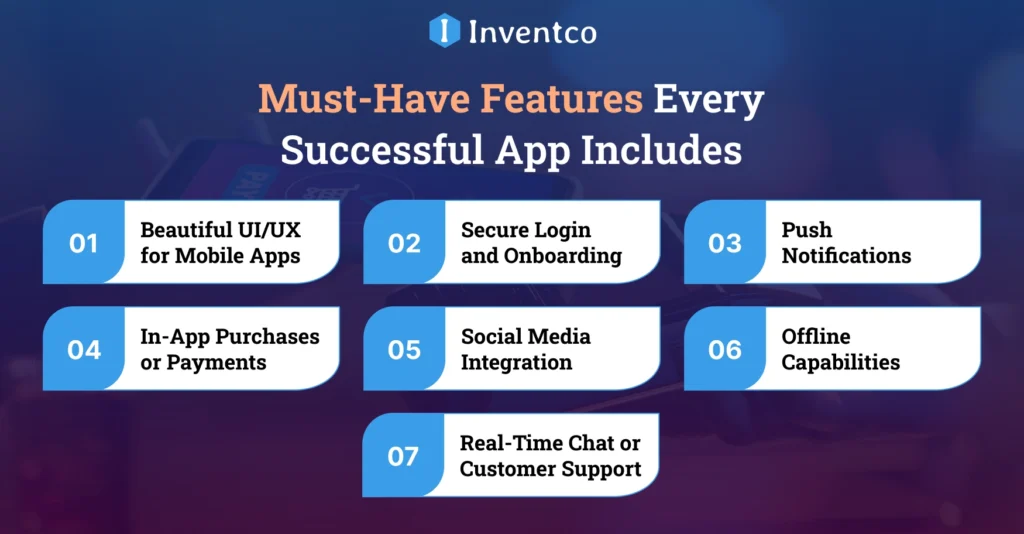
Launching a mobile app requires more than just coding and publishing. It requires a smooth and practical user experience and an enjoyable experience. This is achieved through practical, consumer-focused features. The key mobile app features include:
1. Beautiful UI/UX for Mobile Apps
The first and most important impression a user has of your mobile app is its design. A design that is simple, elegant and easy to navigate will ensure that you retain users and that they return to your app frequently. A great user experience will also decrease your app’s exit rate and increase user engagement.
2. Secure Login and Onboarding
While your users certainly want quick, easy access, they also want a secure user experience. In this case, simple registration options (one-click sign-on, email, phone) and easy sign-on through social media are a must. For added user security, something like multi-factor authentication is recommended.
3. Push Notifications
In the case of mobile apps, notifications are considered a must-have engagement tool because they keep users engaged with reminders of promotions, services, and engagement messages. While notifications can annoy some users, they are an important retention tool.
4. In-App Purchases or Payments
Apps can also generate revenue through product and service offerings and premium feature subscriptions. For easy and secure operating system-level payment options (Google Pay, Razorpay, Stripe, PayPal, Apple Pay), be sure to include in-app purchase options. This will ensure that your app is easily monetized.
5. Social Media Integration
Social Media Use is expected to be in high demand in 2026. It enables users to sign in with their social media accounts and share content with their networks. This simplifies the application’s use and increases social media shares.
6. Offline Capabilities
People appreciate apps that can be used without Internet access. Having offline materials increases usability and improves the app’s reliability. This is particularly true for travel, educational, and note-taking apps.
7. Real-Time Chat or Customer Support
Instant messaging and customer service are projected to be highly requested features in 2026. This is a clear way of gaining users’ trust and satisfaction.
The choice between real agents and an AI chatbot depends on the app’s needs. It also helps to address issues sooner and avoid users switching to competing apps.
These are not optional features. These are basic considerations for designing a modern, innovative mobile app. The better you do these, the easier it is to get your app noticed in a crowded marketplace.
Mobile App Development Trends Dominating 2026
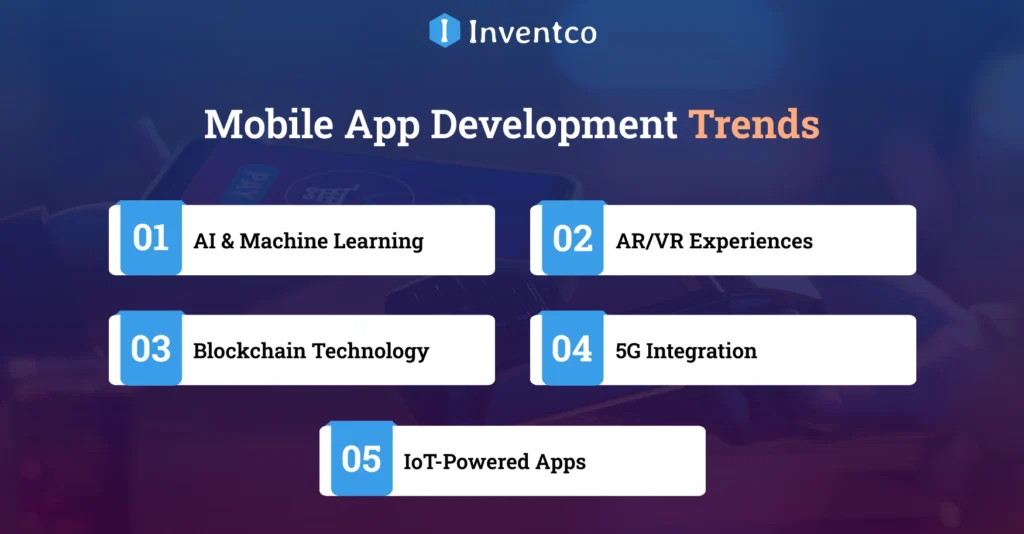
As technology advancements break new ground, staying at the forefront means building mobile applications that not only survive but thrive. When creating a mobile application for 2026, you must stay up to date with the latest trends and advancements in mobile.
Here are the top mobile app development trends changing the digital world:
1. AI & Machine Learning
Artificial intelligence is no longer a term, it’s the brain behind personalization. With algorithmic search and AI suggestions, application interaction appears increasingly seamless. To foster customer retention, most businesses are utilizing AI App Development Services to deliver personalized experiences to users.
2. AR/VR Experiences
In various industries including gaming, eCommerce, fashion, and travel, AR and VR are revolutionizing mobile app experiences. Thanks to augmented and virtual reality app development services that blend the digital world with reality, try-before-you-buy features and interactive games are rapidly gaining popularity.
3. Blockchain Technology
Trust, as the foundation of secure and open data sharing, has now become the basis for modern fintech and digital identity applications. With Blockchain app development services, trust can now be embedded in every interaction, especially in data, payment, and contract systems.
4. 5G Integration
With the expansion of 5G technology comes increased mobile app functionality. 5G allows for the instantaneous downloading of applications, seamless streaming, and real-time interactivity in the millisecond range. This technology is useful for developing applications that require real-time interactivity.
5. IoT-Powered Apps
The Internet of Things (IoT) is shaping a new era of applications. Smart homes, cars, and fitness devices are all a part of this new technology. Companies can hire IoT app development service providers to develop applications that integrate real-time data and control functionalities with other IoT devices.
These mobile app development trends can position your app offering as innovative and ready for the future.
Innovative Monetization Strategies for Your Mobile App
Let’s be honest, there’s more to creating a mobile app than just making it look good and hoping for a lot of downloads. If you’re going to put time, money, and resources into creating the app, it has to make you money too. Choosing the best mobile app monetization model is crucial.
The best app monetization models predicted to be popular in 2026 are:
1. In-App Purchases
In-app purchases are the most tried-and-tested forms of monetizing an app. The user gets the app for free, but will have to pay for content, features, services, or upgrades. This model works best for gaming, productivity, and lifestyle apps.
2. Freemium Models
The freemium model is also one of the most common mobile app monetization strategies, commonly seen in dating apps like Hinge, Tinder, and many more. In this framework, the apps offer basic features for free, while advanced features cost extra. This model hooks users before upselling them for additional benefits.
3. Ads (Interstitial, Banner, Native)
Advertising provides steady revenue for your app and is, therefore, considered one of the solid revenue models. Native advertising fits seamlessly into your app design, whereas banners and interstitials are more direct and obvious. However, with high revenue comes a high cost; therefore, this model is best for high-traffic apps.
4. Subscription Plans
Subscription models are best fit for streaming, fitness, and educational apps, as you can provide your users with a subscription on a weekly, monthly, quarterly, or yearly basis. This model, however, requires you to update your content frequently to maintain your user base and encourage them to use your services.
5. Affiliate Marketing
Affiliate marketing is one of the trending mobile app monetization methods. In this method, you can earn revenue by advertising other people’s products and services within your app. This monetization strategy is recommended and works effectively for blogs, deal apps, and shopping apps.
When choosing a mobile app monetization model, think about your target audience, app category, and their usage patterns. A well-suited strategy can increase revenue while preserving the user experience. Keep in mind that monetization is not a one-size-fits-all approach. Experiment, iterate, and optimize to find what works best.
Biggest Challenges in App Development (and How to Beat Them)
Let’s be honest, developing a mobile app isn’t always smooth sailing. From tight dates to tech bundles, the journey is packed with unexpected bumps. But learning the most common app development challenges ahead of time can save you from major headaches later.
Here are some major roadblocks:
- Unrealistic Timelines: If developers set time constraints too early, the product’s quality can suffer. An application that is developed quickly is less likely to meet quality standards.
- Budget Creep: Without a clear development plan, the costs of a development project can grow out of control.
- Choosing the Wrong Tech Stack: The app tech stack that is used in the development of the mobile application is a critical factor in determining the success of the application.
- Lack of Testing and Deployment Strategy: Lack of testing can lead to bugs or poor application performance. Poor application performance and bugs can lead users to stop using the application.
- Poor Post-Launch Support: Poor application maintenance after the initial launch can lead to a poor application experience.
Most common mobile application development challenges can be avoided with a mobile app development plan and a developer who adheres to it. Set realistic goals for the development of the application and remember that developing a mobile application is a process, not a race. A well-developed plan can mitigate many challenges along the way.
Why Inventco is Your Perfect App Development Partner?
At Inventco, we think building a mobile app goes beyond just writing code, it’s about providing a complete digital solution that shows your vision and drives business growth. As a leading web and app development company, we leverage a team of experienced developers, creative designers, and sharp thinkers who work together to turn your ideas into strong, scalable, and user-friendly apps. From simple MVPs to powerful, feature-rich apps, we bring quality and accuracy to every stage. We help you through the whole journey, from idea to development, testing, launch, and continued support, ensuring a smooth experience from start to end.
Wrapping Up
So, how do you create a mobile app from scratch in 2026? It all starts with a good thought. You confirm it, design a user-friendly interface, build the app with the right tech stack, test for perfection, launch it, and most importantly, continue improving based on user input. With the mobile app market growing more than ever, there’s no better time to turn your idea into reality. Whether you’re a startup or an established business, a well-crafted app can raise your brand and boost user engagement. That’s where Inventco steps in. We specialize in building mobile apps that not only offer smooth user experiences but also rank high on Google.
FAQ’s
Q1. How to create an app for my business?
Ans. Start by identifying your business needs, key features, and target users. At Inventco, we help turn your ideas into robust mobile apps, handling everything from strategy and design to development, testing, and post-launch support.
Q2. How to create an AI app?
Ans. To build an AI-powered app, you need strong data models, machine learning algorithms, and seamless integration. Our team specializes in AI app development, crafting intelligent solutions like AI chatbots, personalization engines, and predictive tools tailored to your business needs.
Q3. How hard is it to create an app?
Ans. Creating an app isn’t necessarily hard, but it does require expertise. From defining features to designing the UI, writing clean code, and finding bugs. It’s a job best left to a skilled app development company. We simplify the process, ensuring quality, performance, and scalability from day one.
Q4. How to create an app for iPhone?
Ans. You can start creating your app with Xcode, learn Swift, or just hire an iOS app developer to design, build, test, and launch your app through the Apple App Store with proper guidelines.
Q5. How long does it take to create an app?
Ans. The time to create an app depends on the complexity of the app. A basic app may take 2-4 months, while feature-rich apps with advanced features like AI can take 6-9 months. As a top app development company, we ensure transparent timelines, clear milestones, and faster go-to-market delivery.
Q6. How to create an app for Android?
Ans. To create an Android app, you can use Android Studio with Java or Kotlin, or you can hire an Android developer to build your business app. You can design your app, implement features, test on various devices, and then publish your app on the Google Play Store.
Q7. How much does it cost to hire an app developer?
Ans. The cost to hire an app developer might vary depending on factors like location, expertise, and project scope. At Inventcolabs, we offer flexible engagement models, whether you need a full team or a dedicated developer, ensuring top-tier quality that matches your budget.

Sandeep Agrawal
Sandeep Agrawal is the visionary CTO at Inventco, bringing innovation to life through his technical expertise. With a passion for cutting-edge technologies, Sandeep leads the team in developing robust solutions. His dedication and continous efforts to pushing the boundaries of what’s possible defines his role as a transformative and innovative force in the tech industry. You can connect with him on LinkedIn to follow insights.