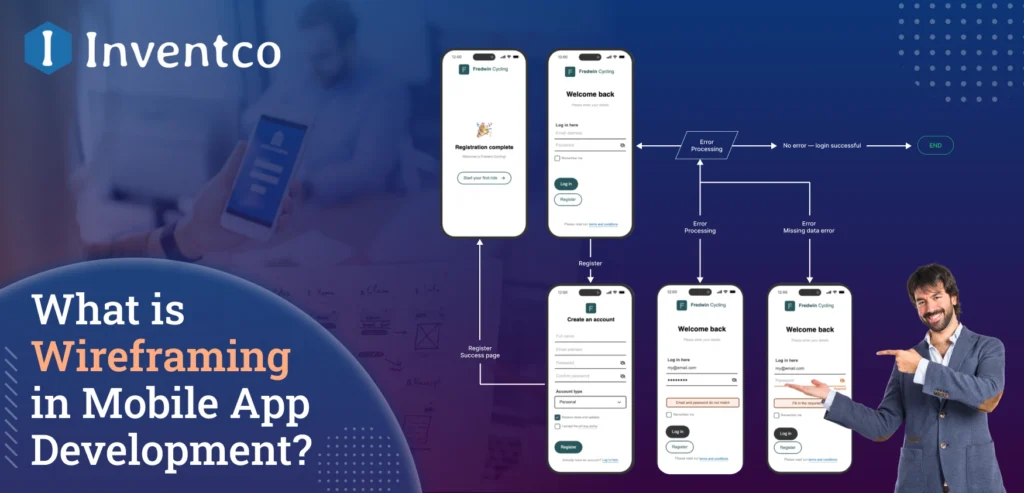
Developing a mobile application without a wireframe will always lead to confusion, delays, and increased costs. Teams will focus heavily on mistakes instead of moving the project forward when the focus and structure are unclear. This leads to longer deadlines, increased costs, and poor experiences for the app users. Wireframing apps is a foundational step in mobile application development that helps engage users and ensure optimal performance.
A wireframe will help you visualize the app’s structure and architecture, the paths users will take, and how navigation will work. It will also help identify any usability gaps before any code is written. This type of clarity early in the development process will minimize development risks and enhance decision-making, stakeholder alignment, and overall development.
If you are a startup testing a new concept, a large company digitalizing some processes, or a product manager modifying a solution, wireframe design is one of the first steps in developing an application that focuses on users while being secure and scalable.
This guide will help you understand the challenges of wireframing and how to solve them, giving you a clearer understanding of why wireframing is an important step in the app development process.
Key Takeaways
- Building a mobile app without wireframing can lead to confusion, delays, budget overruns, and a compromised user experience.
- A mobile app wireframe is a blueprint that shows its architecture, navigation, user experience, and flow, and what it will look like before any development work is done.
- The early stage includes a wireframe, which will reduce development risks, reduce work, and improve stakeholder alignment.
- With the mobile app market expected to surpass $600 billion in 2030 and $1 trillion by 2034, countries will need to plan for competitive UX.
- Among wireframing challenges, designing a layout that is too complicated, not mapping user flows, adding too many details too early, ignoring feedback, and/or an inconsistent layout are all issues that can be addressed by applying simplicity to layout and planning.
- As of 2026, the current wireframing programs are Figma, Adobe XD, Balsamiq, and Sketch, all of which offer collaborative and scalable design tools.
- Mobile app development and wireframing allow the construction of secure, scalable, and user-friendly applications.
Market Stats of Wireframing in Mobile App Development
- With the global mobile applications market being valued at $313.88 billion in 2025 and projected to be valued at $357.58 billion in 2026 and at $602.51 billion in 2030, the need for wireframing and other early design process techniques to help manage and mitigate development costs and enhance the benefits to the end user of the product is clear.
- More broadly, the mobile application market is forecasted to grow at a steady rate of 15.1% each year for the next 8 years, going from $330.02 billion in 2026 to over $1,017 billion by 2034, creating abundant opportunity for long-term investment and innovation. Given that most of this estimated growth in market value will occur over the next decade, it will be vital that quality user experience (UX) design is implemented from the outset.
- Research more specifically in the mobile applications market shows just under $333.93 billion in market value for mobile apps in 2025, approximately $391.3 billion in 2026, and estimated to be worth $864.5 billion in 2031. Given that the mobile apps market is highly competitive, wireframing and other development strategies that drive user engagement and interaction will be critical.
- With the growth in the mobile app development sector, more specifically in the development of design software, prototyping technology, and the development of UI/UX frameworks in response to the demand for scalable and interactive digital solutions, the need for wireframing and other UX design processes prior to development is paramount to enhance the value of the product over an extended period of time for the user.
What is a Mobile App Wireframe?
Mobile app wireframing is like sketching the backbone of your mobile app UI/UX design. It is the initial step where your imagination can be visualised and shared with anyone. It is the basic outline of your product, which is made up in the form of black and white, that shows where your app’s key elements are placed, like buttons, menus, and content, that will appear on each screen.
In the wireframe, they skip the colors, images, and branding, so you can clearly see the structure and your mobile app user flow. Still wondering what a wireframe is for mobile app projects and why it’s important? It’s your planning tool, organized, clear, and built for collaboration right from the start.
Why Wireframing is Crucial for Mobile App Development?
During mobile app development, skipping wireframes is like building a product without app testing, it may work, but there is a higher chance it will cost you in the long term. Designing a wireframe for your mobile app development process plays a major role, as it ensures your mobile app is both functional and user-friendly from the start of app development.
Here are the reasons why you should never ignore mobile app wireframes:
- Clear Communication: With the help of app wireframes, the developers, designers, and stakeholders get on the same page right from the beginning, which helps them communicate clearly.
- Faster Iterations: With the help of a wireframe, you can find and fix issues before UI/UX design or coding starts.
- User-first Design: By focusing on user flow and screen behavior with the help of an app wireframe, you can ensure that app functionality comes first before aesthetics.
- Idea Validation: Wireframing helps you validate your mobile app idea by allowing you to test, tweak, and refine your concept in the early stages, avoiding unnecessary revisions later and saving time and money.
- Improved Efficiency: It reduces app development time, reduces rework, and helps you launch your MVP app in the market faster.
In short, a mobile app wireframe is not just an option it is the foundation of your mobile app development. Still curious about how to create wireframes for mobile apps that deliver real results? We’ve got that covered next.
Types of Mobile App Wireframes
As we know, every app idea is unique, so it is necessary to choose the right type of app wireframe that matches your goals and the stage of mobile app development. Whether you are just exploring mobile app concepts or preparing to hand off your idea to mobile app developers, it is important to understand the different types of mobile app wireframing to choose the right level of detail.
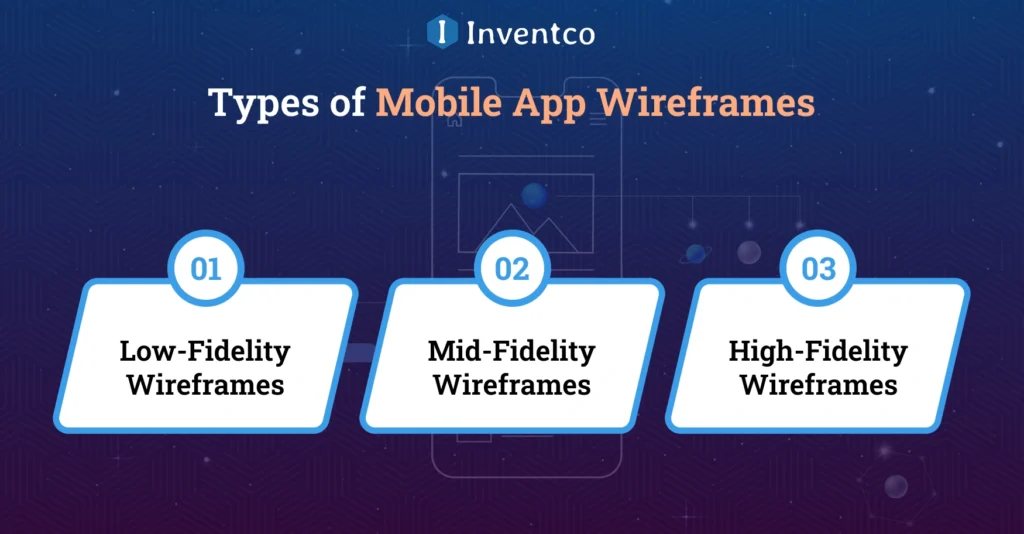
1. Low-Fidelity Wireframes
This is one of the basic, quick wireframe types that focus on your app’s basic layout and screen flow. In this type of wireframing, they do not include any UI detailing and styling, it is just a simple block and line layout that shows where things go. This type of app wireframe is perfect for brainstorming and rapid ideation.
2. Mid-Fidelity Wireframes
Mid-Fidelity Wireframes introduce a clearer and more structured flow of your mobile app idea. In this type of wireframe design for a mobile app, you can see the defined content blocks, navigation placement, and basic UI elements. This type of wireframing is best for internal feedback, app flow testing, and refining the user experience.
3. High-Fidelity Wireframes
This type of wireframe is one of the most highly detailed and closest to the final app. In this wireframing, you can see the accurate spacing, icons, typography, and even interactions. Some advanced mobile app wireframe tools give you the leverage to make these nearly interactive, simulating user behavior and transitions. High-fidelity wireframes are mainly used for client presentations or usability testing.
Still confused about which type of mobile app wireframe is useful for your app? Then you can explore examples of mobile app wireframes, browse them from the top, and look at successful apps like Airbnb, Uber, or Instagram to see how app wireframing evolves across stages. With the right level of mobile app wireframing, your app design process starts with clarity, not confusion.
Step-by-Step Process to Create a Mobile App Wireframe
If you want to create a mobile app that becomes a market leader, a wireframe is not just about drawing boxes on a screen, it is the roadmap for your app. A wireframe is a visual representation of your idea, created with the help of developers, designers, and stakeholders, to give a clear picture of your project and what they will actually build. Whether you are new to the design industry or leading a project team, following a structured mobile app development process can save you time, reduce confusion, and improve results.
Let’s learn a step-by-step process to create a wireframe from scratch to screen:
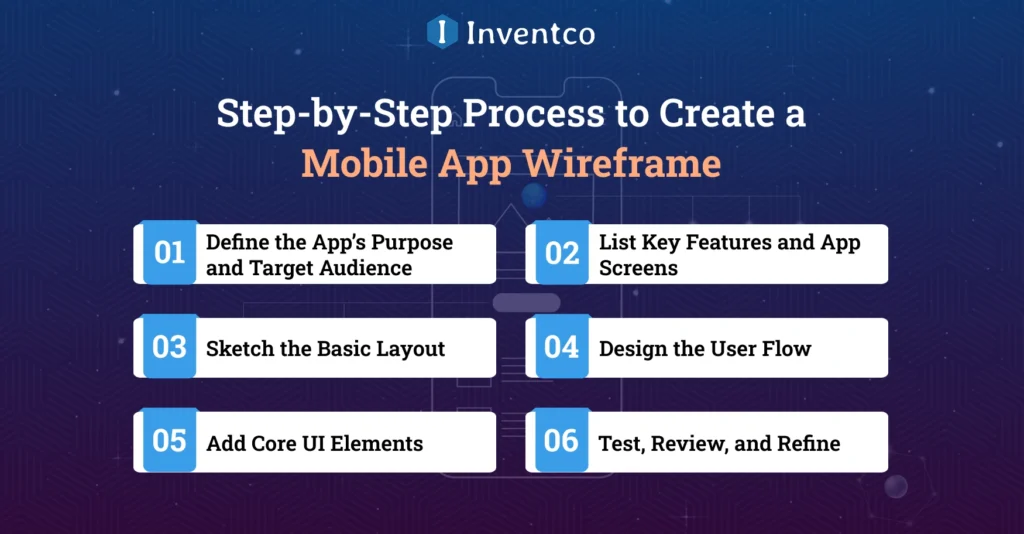
1. Define the App’s Purpose and Target Audience
For a successful wireframe, understanding your audience is essential. Before designing your mobile app wireframe, it is essential to consider what problem your app solves and who will use it.
What to Do:
- You need to find the core purpose of your app.
- Research your target audience using user personas and demographics.
- You need to think about how differently users can interact with your app,
Outcome: With this, you can find your clear app goals and clarity on what your users want.
Example: A fitness tracker app needs a different wireframe than a salon booking app. With the help of early user understanding, you can create the best wireframe design for your mobile app development that truly delivers the best value for your app.
2. List Key Features and App Screens
Listing the key features of your app will definitely help you build an effective mobile app wireframe. Before you start designing, you need to focus on all the required functionality users need.
What to Do:
- You need to find the core mobile app features, such as home screen, login/ signup, user profiles, notifications, and settings.
- With the help of the mobile app wireframe, you can break down the features required in your app and create individual screens, by which you can visualise how the app will be structured.
- Consider how users will interact with each screen and feature.
Outcome: You get a clear road map which shows your mobile app structure and flow.
Example: A social media app has different key screens than an e-commerce app. Defining the list of key features and app screens early helps build a well-structured wireframe for your mobile app that supports a smooth user experience.
3. Sketch the Basic Layout
The next step in creating a mobile app wireframe is the basic layout, where your app begins to be visualised. Before polishing your mobile app design, sketch the layout for each screen to create a well-structured roadmap.
What to Do:
- You can use pen and paper for quick, rough sketches of the basic layout, or you can also use mobile app wireframing softwares like Figma, Balsamiq, Adobe XD, or Sketch.
- Make the basic layout very clear and straightforward, and you can use boxes for images, lines for the text, and circles for buttons for your app screen.
- You need to focus on the positioning and spacing of the buttons and images rather than colors and detailed design.
Outcome: With the basic layout, you get the foundation of your app wireframe design.
Example: The layout of a news app’s home screen will likely differ from that of a food delivery app. With the help of early layouts and sketches, a simple design ensures your mobile app wireframe stays user-friendly and organised.
4. Design the User Flow
In this step of your mobile app wireframe, the true shape of the user experience is seen. Before you proceed with the detailed design, focus on how users will move through your app and on the flow that supports the best user experience.
What to Do:
- You need to mark the path that users take from screen to screen.
- Ask: What happens when they tap this button? Where do they go after completing a task?
- You need to use arrows and connectors in your app wireframe to show the transitions and actions of the users and your app.
Outcome: You get a seamless and intuitive user flow that avoids confusion and enhances the usability of your mobile app.
Example: In an e-commerce app, a user can go from browsing the product to the checkout screen in just a few clicks. A smooth, clear user flow is essential for creating a mobile app wireframe that keeps users engaged.
5. Add Core UI Elements
This is one of the primary steps of creating the best mobile app wireframe. In this step, it’s time to bring structure to your mobile screens by placing essential UI components. Now you can start adding the functional elements in the screens where they make sense in the user flow.
What to Do:
- Place key components like:
-Buttons
-Sliders
-Form fields
-Tabs
-Navigation bars - Maintain a logical layout based on usability and user priorities.
Outcome: As a result, you get a functional app wireframe that reflects how users will interact with your app.
Pro Tip: Stick to grayscale designs, no need for fancy fonts or colors yet. The goal is clarity and flow, not aesthetics. Keep it simple and smart.
6. Test, Review, and Refine
Your mobile app wireframe is not complete until you test it in the real world. Share your wireframe drafts with your team or target users and monitor how they interact with your app screens and how the user flow is.
What to Do:
- Watch for confusion or hesitation during key tasks.
- Ask:
-Is navigation smooth?
-Are tasks easy to complete?
-Do users understand the purpose of each screen?
Outcome: You get genuine feedback that helps you fix them in your wireframe before you move to high-fidelity design.
Pro Tip: With early app wireframing, you can save time and avoid rework. It’s where your mobile app wireframe transforms from concept to real, user-validated flow. Crafting a wireframe design for a mobile app is not just a design task, it is a strategic step toward bringing your idea to execution. When done right, it sets the foundation for a smooth, successful development process.
Common Wireframing Challenges (and How to Overcome Them)
Let’s be honest, mobile app wireframing looks simple, but it’s not always as smooth as we think. Sometimes, even experienced and skilled mobile app designers and development teams can face challenges. But the good news is that every mobile app wireframing challenge has a solution. Here are the top mobile app wireframe challenges and how you can overcome them:
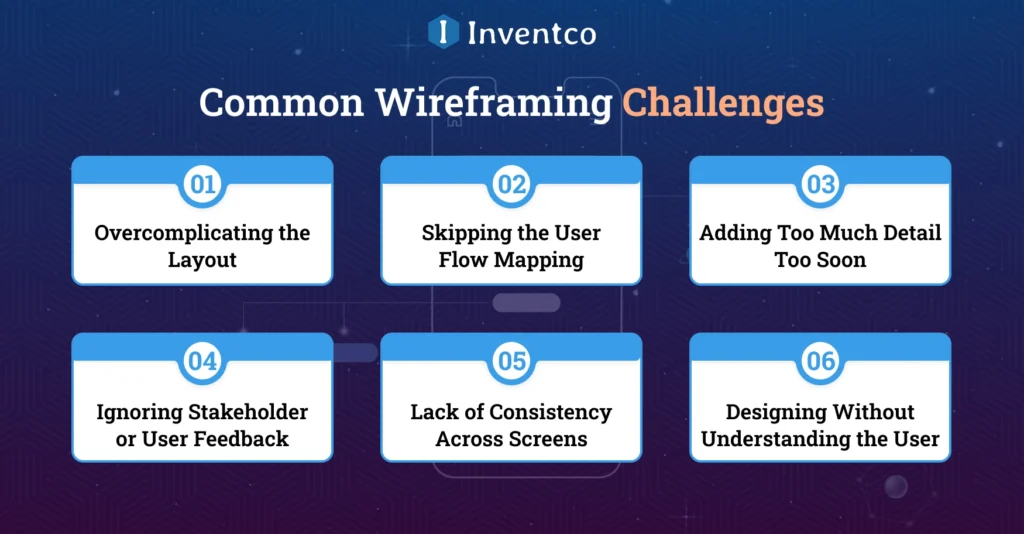
1. Overcomplicating the Layout
One of the most common wireframing pitfalls is trying to do too much too soon. Adding unnecessary features and flashy elements at this stage can hinder the purpose of app wireframing, which is to clarify your mobile app’s visuals.
The Challenge: You overload your mobile app layout with unnecessary details in the early stage.
Solution:
- Start with low-fidelity wireframes to focus on the app structure and user flow.
- You need to stick with your core feature list and only add them in the wireframing; no need for visuals or polishing.
- Gradually evolve your app wireframe as your app concept solidifies.
Pro Tip: Simplicity is the key to success, so building clear and uncluttered app wireframes helps stakeholders to focus on the real matters and app usability.
2. Skipping the User Flow Mapping
Skipping the user flow mapping is one of the most common wireframe challenges in mobile app development. No matter how outstanding your mobile app screens are, they’re useless if your users can’t figure out how to navigate between them.
The Challenge: Creating a mobile app screen design prior to planning how users can navigate and interact with the app.
Solution:
- Always plan your user journey first. Plan the whole part for the user from the start to the end of the task.
- You can use flow diagrams and journey maps to visualize the transitions between screens for the users.
Pro Tip: A well-mapped user flow makes your mobile app wireframes not just look good but also give an immense and smooth user experience
3. Adding Too Much Detail Too Soon
Wireframing is not the stage where you make things pretty; this is the stage where you make them work.
Challenge: Adding too many details in the very early stages of app wireframing, such as fonts, colors, gradients, and UI elements, can cause confusion.
Solution:
- One of the main points to overcome this challenge is to stick with a grayscale layout with simple boxes, circles, and lines.
- You need to focus on the app functionality and user flow, not on the final design of the screens.
- You can leave your visual flair for high-fidelity mockups and prototypes
Pro Tip: A Wireframe is just a road map of your app structure, not a full design of your mobile app, so do it just like that.
4. Ignoring Stakeholder or User Feedback
Wireframes are not a crystal ball, they don’t predict your mobile app’s success unless you test it in the real world and take user feedback.
Challenge: One of the most common challenges in creating a mobile app wireframe is trusting your wireframe without taking input from real users who actually use your product.
Solution:
- One of the best ways to avoid this challenge in app wireframing is to share your early vision with the client, your team, or a small group of testers.
- Monitor your test wireframe to see how your users interact with the screen, where they pause, and where they struggle, and work on it.
- Use the feedback to resolve the problem early, catching UX flaws before they become expensive mobile app development issues.
Pro Tip: User feedback is not criticism; it is a shortcut to building something users actually want in the app, while ensuring mobile app security.
5. Lack of Consistency Across Screens
One of the key challenges in mobile app wireframing is inconsistent design. It makes it confusing for users to navigate your mobile screen, which is likely to cause them to abandon your mobile app. Make sure all your screens are consistent for a smooth, intuitive user experience.
Challenge: In your mobile screens, buttons jumping around, your screen header playing hide-and-seek, or navigation elements changing styles across screens.
Solution:
- You need to create and stick with the wireframe style that guides your user for a smooth user experience.
- Need to maintain the placement of UI elements, like CTA buttons, icons, and menus, across all screens.
- Repeat the patterns by which users can recognize and trust your app.
Pro Tip: Consistency is not dull, it is comfort for your users. With consistency, your users feel confident and find your app intuitive and easy to use.
6. Designing Without Understanding the User
Understanding the user is a key element of the mobile app development process. If you design your mobile app wireframe without real user insights, it will definitely affect your final product.
Challenge: Creating your mobile app wireframe layout just based on your assumptions rather than using feedback on actual users’ needs and behaviour.
Solution:
- Before building your app wireframe, you need to conduct user behavior research to understand the needs and actions of the users for your mobile app.
- Ensure that your design decisions align with users’ goals and pain points.
- Make sure your mobile app wireframing solves the real user problem rather than guessing what might work for your app.
Pro Tip: A user-centred wireframe is the foundation of a successful mobile app that truly resonates with your audience. Mobile wireframing should not be frustrating to you. With the help of knowledge of these mobile app wireframe challenges, you can create a clear strategy and create a successful wireframe design for your mobile apps, which is clear, functional, and user-friendly from the start.
Best Tools for Mobile App Wireframing in 2026
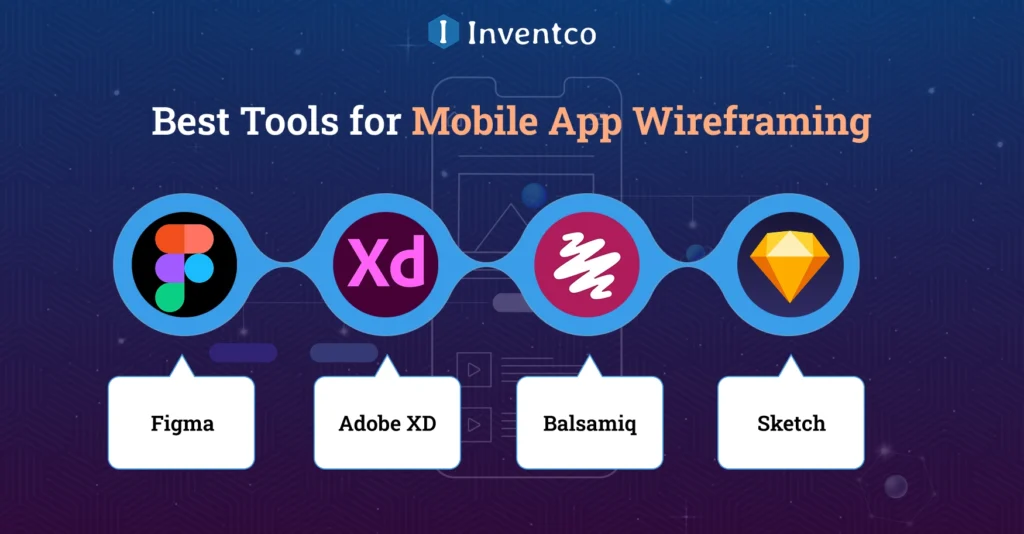
Looking to nail that perfect wireframe design for your mobile app? Then hold up, you are so lucky that in 2026, there are so many powerful tools for mobile app wireframing, each having its own strengths. Whether you are starting from scratch with a rough idea or creating a clickable mobile app prototype for your dream app, these tools are ideal for wireframing.
Here are some of the best mobile app wireframing software tools that you can use for your mobile app development, so let’s get started:
1. Figma
Figma is one of the best and most widely used wireframing apps in 2026. This tool offers you a cloud-based, intuitive, and collaborative experience. Figma offers a real-time editing feature that is perfect for remote teams and enables fast feedback loops. The bonus point for this powerful mobile app wireframing software is that it is beginner-friendly.
2. Adobe XD
It is one of the best, sleek options for both UI and UX design. Adobe XD lets you create a seamless prototype of your mobile app wireframe, with transitions and interactions. This powerful wireframing software is ideal for turning your basic app wireframe into the high-fidelity zone.
3. Balsamiq
Balsamiq is known as the king of low-fidelity wireframing. With the help of its drag-and-drop interface, you can create a quick wireframe without overthinking the visuals and functional elements. This is one of the best wireframing software options for early brainstorming.
4. Sketch
One of the best and long-time favorite mobile app wireframe software among Mac users. Sketch is built for precision. With its powerful features, such as reusable symbols and plugins, app scaling is easier for longer projects.
Pro Tip: Test a few of these before committing. Your go-to tool should align with your wireframe design and the latest mobile app development trends, without slowing you down.
How Does Inventco Align Vision and Users Through Strategic Wireframing?
Wireframing is an integral part of an effective and comprehensive product strategy. It is an integral part of our methodology. We consider mobile app wireframing the connective architectural foundation linking business objectives, user behavior, and technological constraints.
We do this before any coding is done. Every project starts with an in-depth user journey analysis to confirm and refine navigation, task completion, and interactions, providing a comprehensive understanding of the concept and execution.
We go beyond your average wireframe. Building beyond the basics, we focus on your product’s future. We consider how our design will integrate with your system’s architecture and how to sustain the product over the long term. We consider the wireframe stage to be the defining moment of the product. It is where we encapsulate the final look and feel.
We do this by defining features, prioritization levels, data structures, APIs, backends, cross-platform requirements, and other dependencies. When done right, this will reduce rework on your product, improve the speed at which we develop it, and decrease the amount of unresolved technical debt, thereby improving our drafts and promises.
Because we “wireframe”, then we “build”. This gives our design and construction the rigor of a strong performance “build”. Having your mobile app idea developed will be even better once we create a wireframe that aligns with your long-term product goals and delivers better results and scalability.

Conclusion
An app wireframe is not just a step in designing your app, it is the foundation of your mobile app development. With the help of a well-structured wireframe, you can align your team, clarify your app goals, minimize mobile app development errors, and help you create a mobile app solution that genuinely solves user problems and connects with them.
Whether you’re brainstorming a new startup idea or collaborating with an app development company, wireframing should be a top priority. It streamlines the process, saves time and costs in app development, and sets the stage for a smooth development journey. Simply put, a solid wireframe is your launchpad, use it wisely and build with confidence.
FAQ’s
Q1. What is a mobile app wireframe?
Ans. A wireframe is a basic visual layout of your app’s screens and user journey. It focuses on structure and functionality—no colors or detailed visuals, just the blueprint.
Q2. Why is wireframe design important for mobile apps?
Ans. Wireframes help you map out the app’s functionality, user experience, and layout before development begins. It saves time, reduces rework, and ensures clarity from the start.
Q3. What tools can I use to create a mobile app wireframe?
Ans. Popular tools include Figma, Balsamiq, Adobe XD, Sketch, and Wireframe, each designed to streamline the wireframing process.
Q4. Are there any mobile app wireframe examples I can follow?
Ans. Yes! Sites like Dribbble and Behance offer tons of real-world wireframe examples for inspiration and guidance.
Q5. How long does it take to create a wireframe?
Ans. It depends on the project’s complexity, but most wireframes can be completed within a few hours to a few days.
Q6. Can Inventco help me with wireframing and prototyping?
Ans. Absolutely! At Inventco, we offer end-to-end mobile app wireframe and prototype design services tailored to your unique goals and vision.

Jitendra Jain
He is the CEO and Co-founder of Inventco, driving innovation in advanced computing and digital transformation. With deep expertise in modern IT ecosystems, he leads scalable, secure, future-ready solutions. His strategic leadership helps businesses accelerate growth, adopt innovation, and achieve success. You can connect with him on LinkedIn to follow his technology insights.