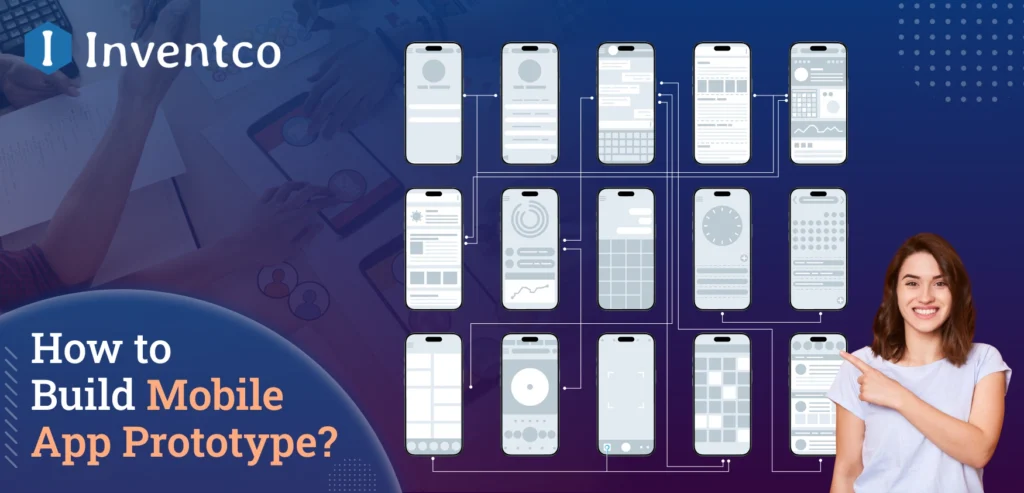
Consider investing multiple months of development and operational effort, and thousands of dollars, in a project only to have it fail. Users might not even use the app. With how competitive the digital environment is, this is a frequent occurrence. Here is where mobile app prototyping is a game-changer.
An early interactive design of a product is called a mobile app prototype. It allows developers to assess the design’s functionality, user flow, and key features before major development begins. It streamlines the process of testing hypotheses, gathering stakeholder and user opinions, and assessing the design’s accessibility. It also minimizes financial and technical liabilities.
Mobile app prototyping is not optional. It is a vital step that reinforces the validity of future investments, accelerates product changes, and improves the product’s focus. This is especially true for startups trying to determine where their product fits in the market, as well as large organizations looking to introduce new digital strategies.
We will focus this guide on why mobile app prototypes are important, how to build them, the best tools to optimize mobile apps, and the mistakes to watch out for so you can move forward with confidence.
Key Takeaways
- Mobile app prototyping reduces the risk of investing time and capital into an idea that lacks user engagement or market validation.
- Mobile application prototypes are early-stage interactive models that validate core functionality, navigation, and overall user flow before full development, ensuring usability.
- The importance of mobile application prototyping is underscored by industry research showing that 70% of application development projects fail due to insufficient research and poor validation.
- Research shows that investing in user experience and prototyping results in measurable returns, including development cycles that require less time, increased rates of customer retention, and improved rates of customer acquisition.
- Financial risks are better managed through prototyping, which helps startups reach product-market fit. Furthermore, it allows large businesses to validate digital strategies.
- A strong prototype includes user interface screens, navigation flow, main components, interactive features, and feedback mechanisms.
- The prototyping process is divided into steps, including goal-setting, user research, wireframe development, interactive flow creation, visual design implementation, testing, and iteration.
- Frequent mistakes include neglecting feedback, prioritizing the aesthetics of user interface and user experience (UI/UX) design, and confusing Minimum Viable Products (MVPs) with prototypes.
- The correct sequencing of development and planning for product development is dependent on understanding the primary distinctions between wireframes, prototypes, and MVPs.
- The right tools, such as Prototypes, Figma, Adobe XD, Sketch, InVision, and Proto.io, help streamline testing, improve collaboration, and ensure stakeholder alignment.
- The prototyping of mobile applications is not a creative indulgence; it is a crucial activity that provides evidence of strategy, reduces risk, increases usability, and ensures the creation of a mobile application that is likely to provide success for a long time.
Industry Research on Mobile App Prototyping Success Rates
- 42% of startups fail due to a lack of market need, not poor technology, reinforcing why early validation through prototyping is essential before full-scale development.
- 88% of users are less likely to return after a poor user experience, making early usability testing through prototypes critical.
- Every $1 invested in UX yields an estimated $100 in return (ROI of 9,900%), underscoring the financial value of structured design validation and prototyping.
- Companies that prioritize design and UX outperform competitors by 32% in revenue growth and 56% in total shareholder returns.
What is a Mobile App Prototype?
A mobile application prototype is a model of your app that shows its features, structure, and user flow, without writing the full code. Unlike static mobile app designs, an application prototype lets stakeholders and users experience the app before it is actually built. Just assume the app prototype is like a movie trailer: you get the vibe, the excitement, and the story, but not the whole picture. Similarly, when you build an application prototype, you can help your investors, testers, and mobile app developers visualize the final product early on.
Why Do You Need a Prototype Before Building Your App?
If you are asking yourself, Do I need a prototype for my mobile app idea?” then the answer is yes, and why? A mobile app prototype is one of the key factors that help turn your app idea into a market-ready solution.
1. Validate Your Idea
An app prototype gives you the freedom to test your concept on real users before you invest heavily in your mobile app. This stage of mobile app development ensures that you solve the right problems and meet user expectations.
2. Save Time and Money
With the help of the application prototype, you can fix issues at this stage of app development, which is less costly and time-consuming than resolving them during full development. As per the stats, errors that are fixed in the early stages are ten times cheaper than post-launch fixes.
3. Improve Communication
With a mobile application prototype, you can show a standard view of your mobile app as a reference. It can help stakeholders, developers, and designers to stay aligned to avoid misunderstandings and costly reworks after the mobile app launch.
4. Attract Investors
An application prototype is very useful for attracting investors, as it lets you demonstrate your app’s functionality and user flow during the pitch to convince them.
5. Get Early User Feedback
With a prototype, you can get feedback on design and usability from the real users you target. With that feedback, you can improve it in the early stages, saving you time and money.
In short, skipping mobile application prototyping is like building a house without a blueprint and is almost guaranteed to waste resources.
Types of Mobile App Prototypes
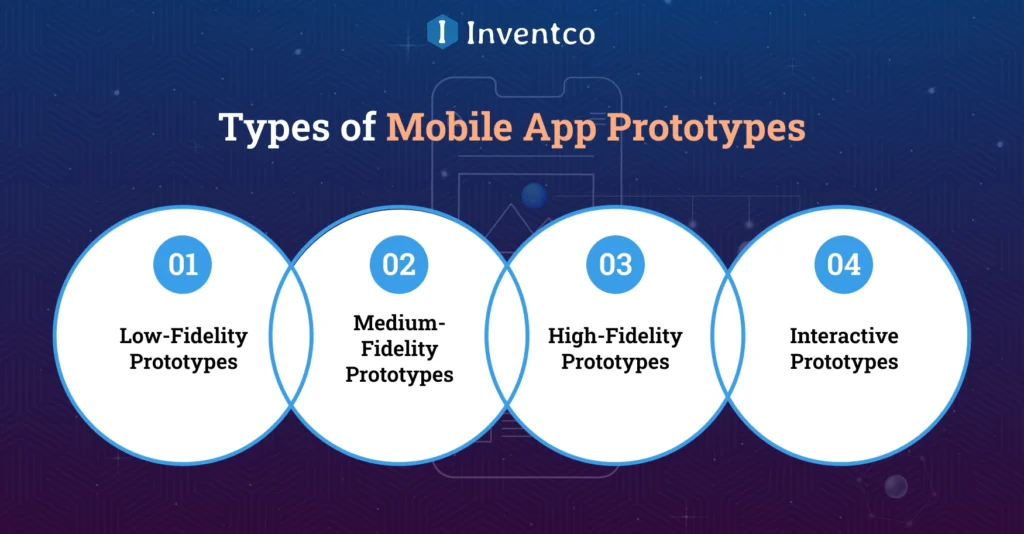
There are many types of app prototypes, so not all application prototypes serve the same purpose. The type of prototype you choose for your mobile apps depends on you and can vary by project stage and goals.
Here are some top types of mobile app prototypes:
1. Low-Fidelity Prototypes
A low-fidelity prototype is a set of basic sketches or mobile app wireframes that outline your app’s structure. It focuses on the app’s flow and layout rather than its design and interaction. This type of mobile application prototype is best for brainstorming and early-stage discussion.
2. Medium-Fidelity Prototypes
A medium-fidelity prototype is an advanced version of a low-fidelity prototype, it includes more detail and supports some clickable interactions. In this type of application, a prototype lets you demonstrate the navigation path and test the basic user journey without complex design elements.
3. High-Fidelity Prototypes
One of the most common and widely used mobile app prototyping techniques is the high-fidelity prototype. This is the closest version of your final mobile app, as it includes polished visuals, detailed UI elements, and near-realistic user interaction. This type of app prototype is ideal for investor presentations and stakeholder approvals.
4. Interactive Prototypes
This is one of the high-tech prototypes, created using tools like InVision or Figma. This type of prototype allows users to click buttons, navigate screens, and experience the app flow before any code is written.
When you create an app prototype for your mobile app development process, it is very important to choose the right type, which depends on your objective, user testing, quick ideation, or pitching to investors.
Key Components of a Mobile App Prototype
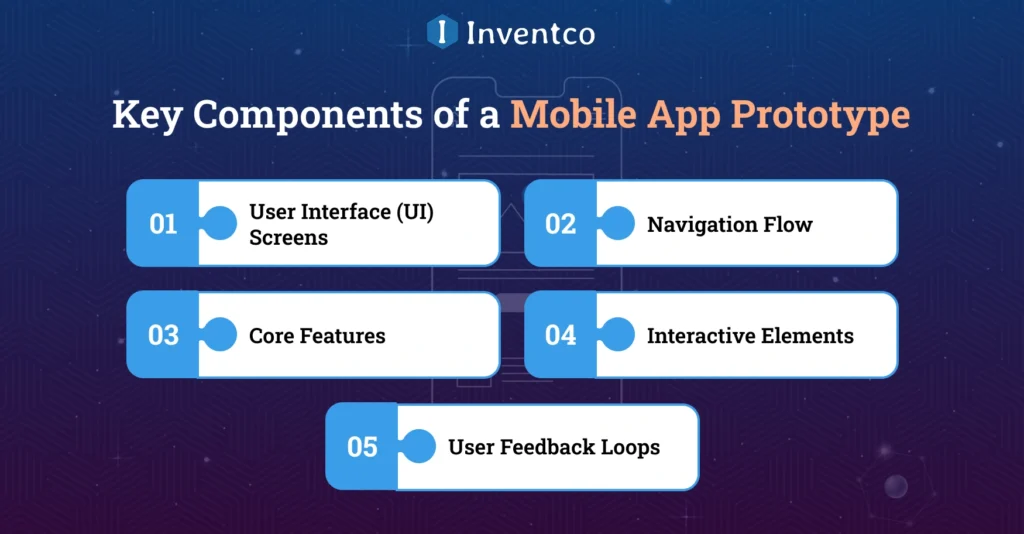
A well-designed mobile application prototype should include a few essential elements that bring clarity and purpose to the development process:
1. User Interface (UI) Screens
The user interface is one of the key components of the prototype; it represents the layout of each screen in your mobile app and gives your stakeholders a visual idea of how the app looks and feels.
2. Navigation Flow
This component shows how your app users will move from one app screen to another. With this key component, you can ensure your user journey feels natural and intuitive.
3. Core Features
Your mobile application prototyping must highlight the main feature of your mobile app that defines the app’s functionality.
4. Interactive Elements
Interactive elements in your prototype are a must-have: clickable buttons, menus, or transitions that make your app prototype feel closer to a real app.
5. User Feedback Loops
This is one of the key components that should be in your prototype; you need to design areas where you can test user actions and monitor their responses to assess usability.
Knowing how to design a mobile app prototype is all about balance. Too simple, and it won’t be clear. Too complex, and it wastes precious time before validation.
Step-by-Step Guide to Creating a Mobile App Prototype
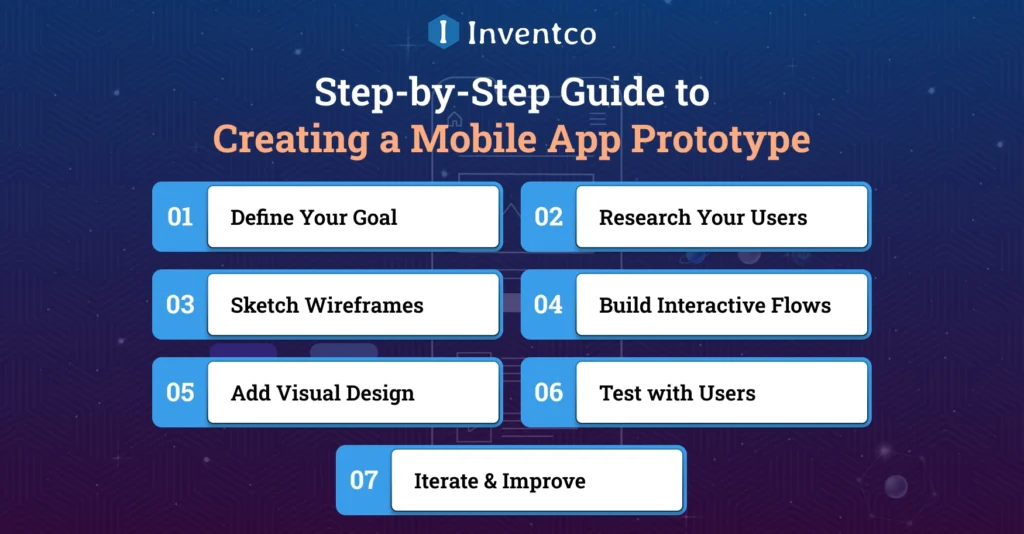
Creating a successful app does not start with coding, it begins with a mobile app prototype. An app prototype helps you validate your idea, refine your mobile app design, and ensure your app connects with users before you invest heavily in mobile app development.
So here is the step-by-step guide on how to create a prototype for a mobile app in the right way:
1. Define Your Goal
The first step to building an app prototype is clarity for your mobile app goals. You need to ask yourself what problem your app solves. Identify the core purpose of your mobile app and ensure your prototype stays focused and relevant to that.
2. Research Your Users
Your mobile application prototype is only effective if it is aligned with user needs. Conduct research on the target audience’s pain points, user preferences, and expectations to add meaningful features to it.
3. Sketch Wireframes
Mobile app wireframing is a key step in creating an app prototype. You need to create a simple sketch or low-fidelity app wireframe. With this visual outline, you can organize your app screen, flow, and layout before moving on to detailed design.
4. Build Interactive Flows
You need to use the best mobile app prototyping tools to create your application prototype. You can use tools like Figma or InVision to link screens and demonstrate the navigation of your mobile app. With the help of the interactive flow, it is beneficial to show stakeholders what the app experience is like.
5. Add Visual Design
Once the structure is clear, the next step in the mobile app prototype is to enhance your brand elements like color, fonts, and style. After this step, your app prototype becomes more realistic and presentation-ready.
6. Test with Users
No mobile application prototype is complete without user feedback. You need to share your prototype with your potential app users and gather reactions, behavior, and navigation of the user flow. After this, you need to analyze how they interact with the design.
7. Iterate & Improve
A prototype is not just a one-time activity; you need to use insights to refine features and improve the user experience until the user flow feels seamless and user-friendly. When you create an application prototype, remember it is a cycle of mobile app testing, feedback, and improvement.
Knowing how to create a prototype for your mobile app can reduce app development costs, save you time, and increase the likelihood of a successful app.
Top Tools for Mobile App Prototyping in 2026
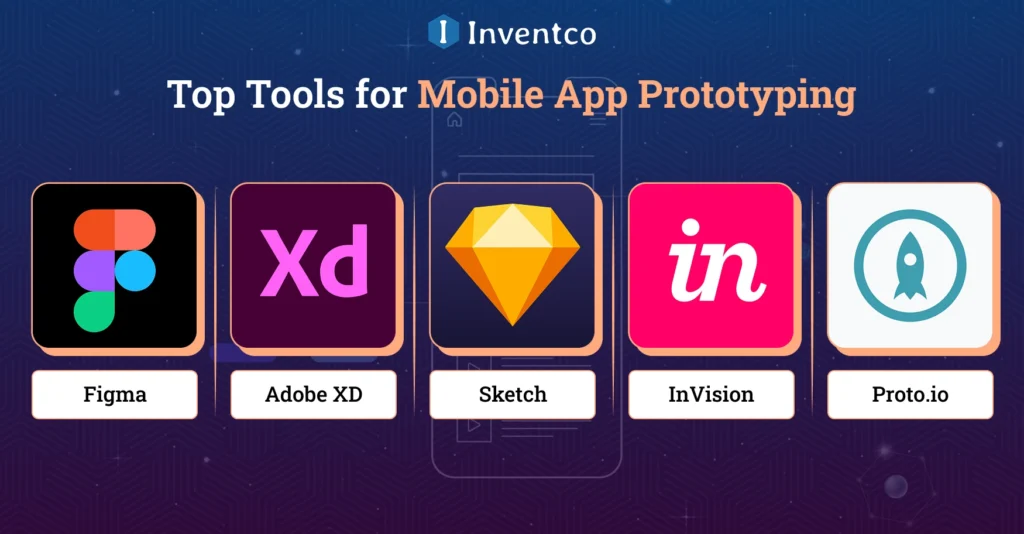
When you create a mobile app, choosing the right application prototyping tool can make or break your entire app development process. With a good tool for building a prototype, you not only speed up app design but also make collaboration, feedback, and iteration much easier.
Here are some of the top mobile application prototyping tools in 2025 that mobile app developers and designers love:
1. Figma
One of the most loved and used prototyping tools is Figma, a cloud-based, collaborative platform that allows design teams to create and share prototypes in real time with app developers and stakeholders. With the help of its accessibility and intuitive interface, it is one of the favourites for building and testing mobile application prototypes.
2. Adobe XD
Adobe XD is known for its versatility, which is one of the main reasons that it is considered one of the best tools for mobile app prototyping. It is perfect for building high-fidelity mobile app prototypes. Adobe XD offers smooth animations and interactive flows. This prototyping tool is widely used for investor-ready presentations.
3. Sketch
Sketch is famous among iOS app developers; it is an excellent choice for iOS app development. Sketch focuses on precise, detailed UI design, making it the top choice for designers who value pixel-perfect layouts in their application prototypes.
4. InVision
It is one of the most famous tools for creating app prototypes because of its collaboration features. InVision allows your development team to share designs, gather feedback, and showcase navigation flow with ease. InVision makes it easy to create a mobile app prototype that aligns with stakeholders’ expectations.
5. Proto.io
For those seeking realistic simulations, Proto.io is a go-to tool. If you need an application prototype that is nearly identical to your final product, then Proto.io is the best tool for you.
By using these best mobile application prototyping tools, you can create and design app prototypes efficiently, reduce friction and accelerate development success.
Common Mistakes to Avoid in App Prototyping
Whether you are an experienced founder or a skilled development team, you can get stuck in these common mistakes while creating a mobile application prototype. To ensure your efforts and money pay off, you need to avoid these common mistakes:
1. Adding Too Many Features
An app prototype should focus on the core functionality of your mobile app. Overloading your application prototype with unnecessary features creates confusion and wastes time.
2. Skipping User Feedback
The core purpose of building an app prototype is to validate your app idea and app development trend in the real world. Ignoring user feedback means you miss valuable insights that can improve your app’s usability and user experience.
3. Ignoring Platform Guidelines
Android app development and iOS app development follow different design principles; overlooking this mistake in your mobile application prototype can lead to major revisions later, which increase your mobile app development cost as well as time.
4. Confusing Prototype with MVP
A mobile app prototype is for visualization and testing, while a functional MVP mobile app has a core feature that is launched for validation and takes feedback from real users, making it easy to launch a full-featured app. Missing them can delay your mobile app progress.
5. Prioritizing Visuals Over Flow
If you fill your mobile application prototype full of flashy designs without smooth navigation, then you make it ineffective. To build a successful app prototype or mobile application, focus on the user experience first.
Mobile App Prototype vs Wireframe vs MVP
In the world of mobile app development, the terms wireframe, prototype, and MVP are similar and are commonly used, but each serves a different purpose. Let’s break them all:
Wireframe
A mobile app wireframe is a static, low-fidelity sketch that represents the skeleton of your mobile app. Wireframing focuses on layout, structure, and user flow without involving design or interaction. A mobile app wireframe is the blueprint of your mobile app.
Prototype
A mobile app prototype is an upgraded version of a wireframe. It’s an interactive, clickable mobile app model that demonstrates how your mobile app users will navigate your app. With key mobile app features such as transitions, clickable buttons, and user flows, an app prototype gives you user experience feedback before mobile app development begins.
MVP (Minimum Viable Product)
The MVP app is the simplest working version of your mobile app. In the MVP, we include only core features and launch to early user validation, feedback, and engagement. Unlock application prototype: an MVP is a functional product available to all in app stores.
In short, the wireframe is the idea, the mobile app prototype is the experience, and the MVP is the functional product ready for users.
How Can Inventco Help You Build a Stunning Mobile App Prototype?
At Inventco, we understand that mobile app prototyping is not a one-step process. Because of this, we do not treat it as a simple, visually appealing process, but rather as a way to validate various aspects of a product. As a mobile app development company, we take concepts from pioneering founders and other businesses and develop them into functional, testable prototypes that can be validated against real business goals and objectives.
Our team employs a research-based approach to substantiate usability testing, internal product validation, prototype requirements, and other factors before developing a prototype to validate and/or present it to investors and obtain stakeholder approvals. We start out with product discovery and end with defined, organized wireframes that have been constructed into a prototype.
With the most well-known and widely used prototyping tools and a proven UX framework, we provide ourselves with the ability to build high-fidelity prototypes that have the ability to produce interactions and provide the user with a much more refined and user-centred experience that is directly aligned with all of the goals and objectives pertaining to technology and the app’s target market goals. Each prototype is developed to emulate a real app’s interactions, allowing users and stakeholders to validate concepts and provide critical feedback to minimize overall development risks before development begins.
The process creates functionality and allows users to align their objectives and understand the validated product in the market before the overall app prototype development begins. This will assist users and business partners with all of their critical development and investment actions. Working with Inventco allows business entities to develop a fully functional mobile app. This creates efficient business processes and allows the entities to start developing the mobile app almost immediately.
Conclusion
A mobile app prototype is far more than just a design, it’s the foundation of your app’s success. By using the right tools, strategies, and expert guidance, mobile app prototyping helps you avoid costly errors, validate your concept early, and prepare for smooth market-ready development. So, if you ever wonder, “Do I need a prototype for my mobile app idea?” The answer is always yes. A strong prototype is the smartest first step toward building a successful app.
FAQs
Q1. What is the main purpose of a mobile app prototype?
Ans. To validate your app’s concept, test user experience, and align stakeholders before full development.
Q2. How long does it take to build a mobile app prototype?
Ans. Depending on complexity, it can take anywhere from a few days (low-fi) to a few weeks (high-fi).
Q3. Which are the best mobile app prototyping tools in 2025?
Ans. Figma, Adobe XD, InVision, Proto.io, and Sketch.
Q4. Is a prototype the same as an MVP?
Ans. No. A prototype is for visualization and testing, while an MVP is a working app with essential features.
Q5. Can Inventco help me create a prototype for a mobile app?
Ans. Absolutely! We specialize in building engaging mobile application prototypes tailored to your business goals.

Jitendra Jain
He is the CEO and Co-founder of Inventco, driving innovation in advanced computing and digital transformation. With deep expertise in modern IT ecosystems, he leads scalable, secure, future-ready solutions. His strategic leadership helps businesses accelerate growth, adopt innovation, and achieve success. You can connect with him on LinkedIn to follow his technology insights.