The requirements of a scalable, compliant point-of-sale platform have never been more evident. Thanks to rapidly changing global commerce, point-of-sale (POS) systems are no longer simple checkout systems; they are full operational command systems. From a founder and investor’s perspective, the development of a POS system is all about building the necessary infrastructure needed to manage growth, real time intelligence, regulatory compliance, and a smooth, seamless customer experience.
A recent study projected that, with the growth of artificial intelligence, mobile point-of-sale systems, and cloud adoption, the POS software market will reach roughly $32.3 billion by 2031, driven by ongoing adoption of cloud, mobile, and integrated payment solutions. The Legacy POS software systems used by restaurants, retailers, service-based businesses, and healthcare practitioners are being replaced with more adaptive, software-based systems that integrate payment processing, customer relationship management (CRM), inventory management, and reporting into a single ecosystem.
This guide explains POS software development and the process of building a modern POS system. It will help you understand the market, provide the best architecture and features for cash management and operational systems, and clarify the challenges, costs, and returns, so you can make more informed investment decisions.
What Is a Point of Sale (POS) System?
A POS system combines hardware and software to help businesses process sales and integrate operational data. In today’s digital commerce world, POS systems do much more than just simple billing. These systems are being designed for centralization, to support real-time decision-making, and to be scalable and support operational efficiency.
Core Components of a Modern POS System
A well-designed POS system typically includes:
- Transaction Processing: Post-sale/return/refund processing is completed via a secure system across a variety of payment channels.
- Inventory and Stock Management: Real-time product availability updates help identify stockouts and overstocking in businesses.
- Tax and Pricing Automation: Regional promotion, discount, and tax rules can be applied consistently and accurately through automation.
- Payment Gateway Integration: Digital wallets, contactless payments, cards, and other new payment methods can be accepted.
- Sales Analytics and Reporting: Actionable insights are derived from transaction data and help forecast and track performance.
Strategic Perspective for Founders
There is more to a point-of-sale system than processing transactions. The vision is a truly integrated POS system, where front-end sales functions integrate with back-end operational processes. This means visibility, operational compliance, and the sustainable scaling of the business.
How to Develop POS Software?
Strategic planning, industry know-how, and a tech stack poised for the future all play a role in the development of POS software. Here’s a breakdown of the steps involved in building POS software.
Step 1: Define Business Objectives and Use Cases
Start by articulating the reasons behind developing POS software and identifying the business challenges it aims to address. Specify in which industry you intend to deploy the POS system within points of sale, be it retail, restaurant, hospitality, healthcare, or multi-location businesses, as each industry has unique POS system operational workflows, transaction volumes, and compliance requirements.
In the early phases of development, clarifying business objectives and use case scenarios aids in the development of a focus on feature prioritization, scalability, and ROI. Beyond aligning the POS system with the business and investment objectives, this also helps in setting timeframes for its operationalization.
Step 2: Choose the Right POS Deployment Model
Choosing the right deployment model can make all the difference in performance and scalability. In the case of POS systems, cloud-deployed solutions provide flexibility, real-time data visibility, and a lower overall infrastructure cost. Conversely, on-premises POS solutions are suitable for environments that require strict control over data and local storage.
In other scenarios, a hybrid model may be best, combining the two approaches while also offering offline functionality. Depending on compliance regulations, data security for future expansion, and connectivity, one model may stand out as the best option.
Step 3: Design a Scalable and Secure Architecture
The modern POS system needs to have an architecture that is secure and scalable. Permission loss is one area in the business that must be protected in the core APIs designed to enable easy system integration, while microservices offer the flexibility to harness additional services that can be programmed as separate modules. The business is protected by a secure system that prevents data loss across multi-location operations. The system can handle peak loads as its needs evolve.
Step 4: Select the Right Technology Stack
Selecting appropriate technologies will help enhance the performance of existing systems, security levels, and overall system maintenance. The overall design of the system can be implemented using front-end React or the Flutter programming language to create responsive systems that run on multiple platforms. The data in these systems can be managed efficiently using PostgreSQL or MongoDB, and cloud-enabled platforms such as AWS or Google Cloud, which provide resilience and scalability.
Step 5: Develop Core POS Features
Begin building out your system’s primary functions. These should include basic transaction processing, inventory control, tax calculations, and payment processing. These are the app features that will allow the POS hardware and software to operate. Building a strong core will allow your system to provide fundamental value. It will also enable your system to incorporate more functionality as it evolves. Core features also impact employee and consumer interactions. Emphasis should be placed on speed and accuracy as evidence of the productivity they can achieve.
Step 6: Implement Security and Compliance Measures
Compliance and security features are integral to the development of a functional POS software system. App security should include mechanisms to manage user roles securely and encrypt data for each POS system feature. In addition to user access control, compliance should include adherence to the latest industry standards for payment processing, tax collection, and regional legal requirements.
These features reduce operational complexity while increasing transactional security, delivering clear value to founders and investors. Strong security, compliance, and legal foundations also support scalable growth as the system expands into regulated markets.
Step 7: Test, Optimize, and Iterate
Extensive POS system testing is the primary way to ensure the system performs as intended. During this phase, it is critical that you perform comprehensive functional, performance, security, and usability testing. The more issues that are addressed in the app testing phases, the greater the system value will be. In addition, effective app store optimization improves visibility and adoption for POS applications distributed through digital marketplaces, especially for rapidly growing businesses.
Step 8: Deploy, Monitor, and Scale
Once deployment is complete, system performance and uptime require ongoing monitoring and consistent app maintenance. Use analytics to assess transaction velocity, user interactions, and overall system health. Schedule regular updates to introduce new features, strengthen security, and integrate emerging payment systems. A well-maintained POS system can scale across multiple locations, helping clients optimize ROI and adapt to evolving market conditions.
How a POS System Works?
Modern POS systems are designed to streamline sales and ensure the capture and use of operational data and intelligence. Unlike old systems, new POS systems automate data capture, manage data, and provide insights. A real-time sales and operational data capture process that a POS system presents is important to understand when building a POS system that is scalable and reliable.
Step 1: Product or Service Selection
The process begins when you select a product or service and browse the catalog. The catalog is part of the POS, a unified catalog system where the price, tax, and availability are preset and consistent across locations and devices.
Step 2: Pricing, Tax, and Discount Application
The system does price adjustments, taxes, and discounts in real time. Depending on where you are, the system can apply the correct tax to ensure that you don’t break the law. Also, it ensures that the region or location does not have different prices throughout the whole system.’
Step 3: Secure Payment Processing
The system pays money through a gateway. The system will offer pricing options for different payment methods and will be secure, using encryption protocols that comply with the law.
Step 4: Real-Time Inventory Updates
Once the payment is complete, the inventory is updated across different systems, and no sales will be oversold. This improves sales forecasting.
Step 5: Data Sync and Analytics Generation
With back-office systems and analytics dashboards, transaction data gets synced. Analytics on sales, employees, and revenue become available in real time for strategic planning.
This transaction lifecycle is what differentiates modern systems in the debate of Cloud POS vs Traditional POS. When designing a POS system, seamless operational flow becomes the foundation of performance, scalability, and long-term business value.
Key Features Required in a Modern POS System
A state-of-the-art POS platform incorporates usability, performance, scalability, and compliance. For founders and investors looking to create point-of-sale systems, these attributes build trust, enhance system adoption, and provide solid long-term ROI.
Core POS Features
1. Product and Inventory Management
A centralized system that tracks real-time inventory allows businesses to manage stock levels with accuracy, reduce loss, and sustain operational continuity across single or multiple locations.
2. Multi-Payment Support
A modern POS system must support card and digital wallet payments, QR codes, and contactless payments to accommodate shifting customer preferences and enhance checkout conversion.
3. Tax Configuration and Invoicing
Automated real-time tax systems coupled with compliant billing systems enhance accuracy, compliance, and audit preparation across jurisdictions, and minimize developers’ regulatory workflow for POS software in target markets.
4. Role-Based Staff Access
Controlled staff access to sales, margin-eroding refunds, and reports through tiered user permissions ensures accountability, security, and better operational governance of the POS system.
5. Order and Transaction Management
Comprehensive handling of transactions, along with processing refunds and exchanges, to ensure operational fluidity is paramount when building systems for POS and for ensuring consistent data flow.
6. Hardware and Device Integration
Robust performance and adaptability in various business environments are enhanced by the seamless addition of printers, scanners, cash drawers, and POS terminals.
Advanced POS Capabilities
1. Real-Time Sales Analytics
Dashboards provide insights into sales, product sales, and what customers are doing to drive sales. This is valuable for the business’s revenue growth.
2. Multi-Store and Multi-Device Synchronization
More than one store can operate on Sales Central Edition, and all updates are in real time, which is imperative for a multi-location franchise operation.
3. CRM and Loyalty Program Integration
Customer retention, CRM, and loyalty programs are great for increasing customer lifetime value and are all available in the Sales System.
4. Offline Transaction Mode with Auto-Sync
The system can be used offline, and sales can be made. After a period of offline operation, all transactions are automatically synced to the network.
5. Advanced Reporting and Forecasting
Custom Analytics help evaluate future trends in the Business, and with the help of Analytics, the Business can make Forecasting more accurate.
6. Security and Compliance Controls
The protection of transactional data relies on End-to-End Encryption, Multi-Factor Authentication, and Business compliance with PCI DSS, which builds ample trust in the Business and the Sales System.
When developing a Point of Sale (POS) system that is expected to serve investors, corporations, and rapidly growing firms, the aforementioned criteria should be used to assess reliability, regulatory compliance, and the potential for future expansion. This will also help the system be affordable.
Real-Life Challenges When Building a POS System
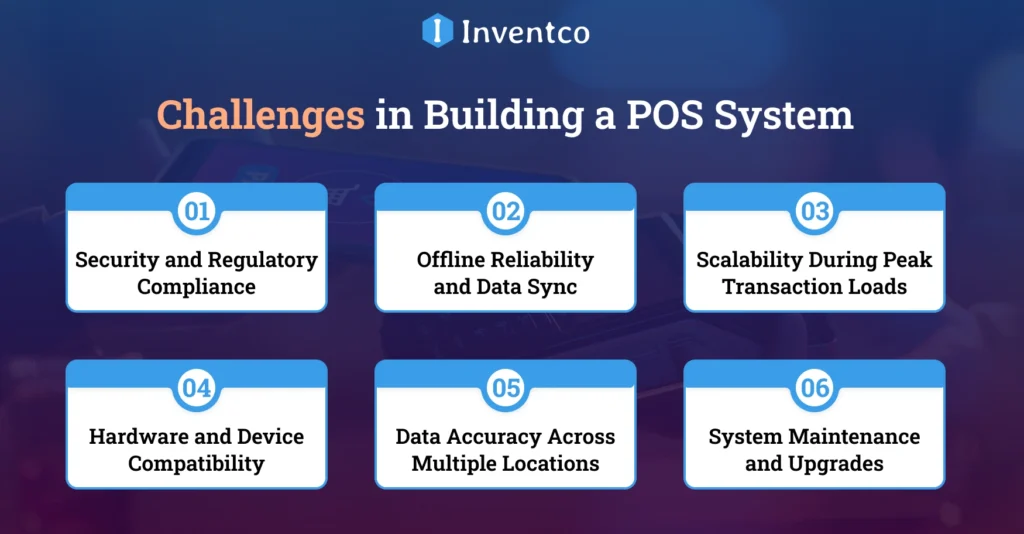
Development teams face numerous challenges when creating a POS system. It is important for founders to assess risks to ensure that a point-of-sale system is scalable, secure, and enterprise-ready.
1. Security and Regulatory Compliance
Ensuring POS systems comply with PCI DSS and other regional tax laws is challenging. Legal challenges arise when trying to encrypt, manage audit controls, and access data, all while keeping sensitive transaction information secure.
2. Offline Reliability and Data Sync
Data synchronization and offline transaction processing architecture without the loss or duplication of data is extremely difficult to build.
3. Scalability During Peak Transaction Loads
During sales and busy hours, POS systems must deal with a high volume of transactions. Without adequate transaction capacity, systems can slow down, and merchants lose sales.
4. Hardware and Device Compatibility
Integrating multiple systems increases the complexity of building a cohesive and flexible system. When a system works with multiple devices, it increases the likelihood of inconsistent behavior.
5. Data Accuracy Across Multiple Locations
Data integration and synchronization are complicated when multiple locations maintain stock under different pricing systems and inconsistent reporting. This is also true when data systems fail to sync in real time.
6. System Maintenance and Upgrades
Security and compliance updates must be performed without downtime. Missing updates have a greater operational risk and technical debt.
When designing a point-of-sale system, this challenge needs to be addressed early, given enterprise-level and growth expectations.
Build vs Buy: Should You Develop or Use Ready-Made POS Software?
When deciding whether to create a POS system from scratch or use an existing one, one needs to consider several aspects: cost structure, operational independence, controllability, scalability, and overall return on investment. This decision, given anticipated regulatory compliance and the digital landscape in 2026, needs to align with growth aspirations, the proposed customer data strategy, and market fit.
When Building a Custom POS System Makes Sense?
The system’s design, which places greater emphasis on regulatory compliance, needs particular attention. This is particularly true when industry-specific operations are involved or when pricing logic is complex. Additionally, the development of a custom system will greatly enhance the company’s control over data, its security, and the flexibility to scale the system beyond any regional, geographical, or franchising system limits.
When Ready-Made POS Software Is the Better Option?
Prepackaged POS software is optimal when operational speed and ease of use take precedence. Such solutions provide faster implementation, lower initial investment, and minimal development effort. They suit businesses with primary operational requirements, low customization needs, or limited budgets, especially for early-stage validation or for short-term implementations.
Strategic Perspective for Founders and Investors
For founders and investors in businesses with a long-term view on differentiation, platform control, and valuation growth, custom POS systems tend to deliver better strategic returns. Although initial risk is lower with ready-made offerings, custom POS platforms offer greater possibilities for scaling, smart data, and a more adaptive architecture—all of which are essential for future-ready, enterprise-grade businesses.
Future Trends in POS Software Development
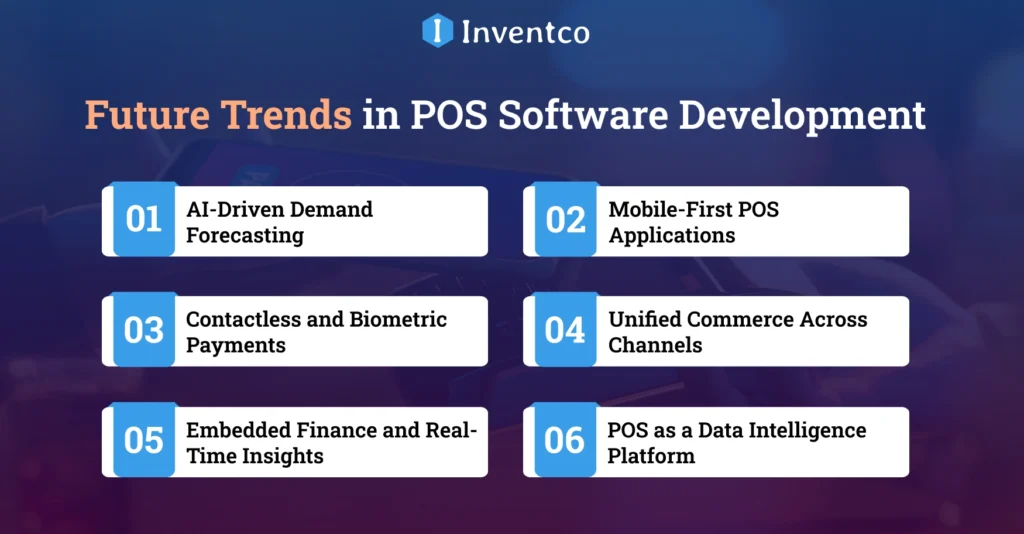
POS systems of the future are intelligent, mobile, and deeply integrated with business ecosystems. POS software development for 2026 and beyond will require founders and investors to consider these trends.
1. AI-Driven Demand Forecasting
POS platforms are utilizing AI more and more to assess sales trends and patterns while also forecasting demand and streamlining stock levels, inefficiencies, and unpurchased items. This, in turn, will allow us to make more intelligent operational decisions and forecasts.
2. Mobile-First POS Applications
Mobile-first POS systems empower businesses to use smartphones and tablets as POS devices. This enhances flexibility, diminishes reliance on additional hardware, and assists pop-up stores, remote sales, and on-the-spot sales.
3. Contactless and Biometric Payments
The integration of contactless payments, facial recognition, and biometric authentication into POS systems is helping streamline the checkout process, improve payment security, and enhance customer satisfaction with quick, frictionless payments.
4. Unified Commerce Across Channels
Modern POS platforms directly integrate online and offline sales data. Features include unified pricing, visibility and control of stock levels, and customer service across eCommerce, brick-and-mortar stores, and third-party marketplaces.
5. Embedded Finance and Real-Time Insights
Adding financial services, such as lending and real-time cash flow insights, directly into POS systems helps businesses manage their operations and finances more seamlessly.
6. POS as a Data Intelligence Platform
Current investors appreciate POS systems that function as data engines. These systems allow businesses to analyze transaction data to make informed decisions on strategy, personalization, and sustained growth.
How Inventco Helps You Build Powerful POS Software?
As a leading mobile app development company, Inventco builds flexible, secure, and compliance-ready POS software systems for businesses at every stage of growth. We blend strategic systems design with technical craftsmanship to create POS solutions that satisfy business, compliance, and scalability objectives.
We partner with founders and investors to create custom architectures for POS systems, build top-tier systems, and seamlessly integrate additional components such as payment gateways, analytics, and ERP. Each POS system is built with a focus on system reliability, data protection, and a positive user experience.
Inventco enhances scalability and decreases time-to-market at every stage of a system, from MVP to enterprise. We assist businesses in launching POS software that increases operational efficiency, compliance, and transaction conversion at all points.
Conclusion
The year 2026 will see the development of POS software as a smart investment and one that goes beyond mere technical solutions. A POS system will streamline operations, improve the customer experience, and provide critical business intelligence.
POS software development guides offer a clear perspective for founders and investors on developing POS software, assessing build-versus-buy options, and building systems that deliver sustainable ROI. The optimal POS solution goes beyond payment processing to fuel intelligent business operations.
FAQs
Q1. How long does it take to develop POS software?
Ans. A custom POS system typically takes four to eight months, depending on feature depth, third-party integrations, regulatory compliance, testing cycles, and deployment scale, especially for multi-location or enterprise-focused point-of-sale platforms and for rollout complexity.
Q2. What is the cost of POS software development?
Ans. POS software development costs range from ten thousand to one hundred thousand dollars or more, depending on feature complexity, platform choice, integrations, security standards, scalability requirements, and whether custom architecture or ready-made components are used.
Q3. Is cloud-based POS better than on-premise?
Ans. Cloud-based POS systems are generally better suited to scaling businesses, offering remote access, automatic updates, lower infrastructure costs, easier integrations, faster deployment, and improved reliability compared to on-premises systems that require local maintenance and hardware management.
Q4. Can POS systems work offline?
Ans. Yes, modern POS systems can operate offline, allowing uninterrupted sales during connectivity issues. They securely store transactions locally and automatically synchronize data once internet access is restored, ensuring accuracy, continuity, and minimal disruption across business operations.
Q5. Is POS software secure for payments?
Ans. When developed with PCI DSS compliance, strong encryption, secure authentication, and trusted payment gateways, POS software provides strong payment security, protects sensitive customer data, reduces fraud risk, and meets regulatory standards across regions and industries worldwide.
Q6. Can I customize POS software for my industry?
Ans. Yes, POS software can be fully customized to industry needs, enabling tailored workflows, pricing logic, reporting, and compliance features for retail, restaurants, healthcare, or service businesses with unique operational requirements and long-term scalability goals.
Q7. Why should investors consider custom POS development?
Ans. Investors should consider custom POS development because it enables data ownership, competitive differentiation, scalable architecture, deeper analytics, stronger compliance controls, and higher long-term valuation potential than generic off-the-shelf POS solutions for growing digital businesses.

Sandeep Agrawal
Sandeep Agrawal is the visionary CTO at Inventco, bringing innovation to life through his technical expertise. With a passion for cutting-edge technologies, Sandeep leads the team in developing robust solutions. His dedication and continous efforts to pushing the boundaries of what’s possible defines his role as a transformative and innovative force in the tech industry. You can connect with him on LinkedIn to follow insights.